Collaboration in Care: Custom EHR Features

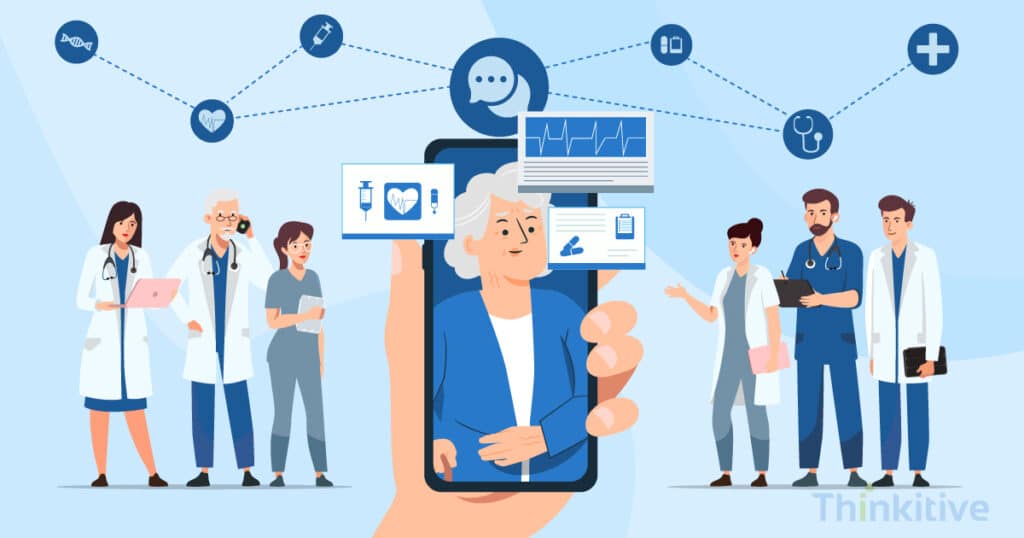
Ever wondered how healthcare professionals are able to provide accurate care almost every time?
Yes, you guessed it right, it is because of collaboration with other healthcare providers, professionals, and most of the time colleagues who are present in some other hospital. If you’re a healthcare provider and use EHR software in your practice, then you know the role it plays in bringing the entire care team on the same page.
However, while scratching the surface of the internet, I came across this stat that said hospitals sharing health data to outside organizations rose from 71% in 2018 to 84% in 2023. This has not only resulted in improved care practices but also in improving communications, administrative procedures, and much more.
In fact, a 2025 stats review stated that 82% of patients felt EHRs enhanced communication between healthcare providers, leading to better care coordination and improved collaboration.
And EHRs have proven that they instill collaboration throughout the care delivery process. Let me explain quickly.
The journey starts with the patient experiencing some mild health concerns and then moving ahead with the healthcare provider for consultation. From here, the real healthcare journey starts, and other members providing healthcare services get involved, such as pathologists, specialists, nurses, pharmacists, etc.
Having said that, to meet the unique needs of their practice and other intricacies, the tide is shifting towards custom EHR.
But did you know that there are custom EHR features for care collaboration that can literally change the face of your practice?
Yes, these care collaboration EHR features can reduce the time spent on care delivery and eliminate duplicate tests and other communication gaps.
In this blog, let’s explore the custom EHR features that improve care collaboration and see how they help physicians, nurses, specialists, and care teams work together more efficiently while delivering better patient care.
Collaborative Features That Support Holistic Care in Custom EHR
Download Feature ListWhat Custom EHR Features Improve Care Collaboration?
To begin with, the communication tools you include in your custom EHR lay the foundation for effective care collaboration. Real-time communication features keep physicians, nurses, specialists, and other care team members informed about even the smallest updates to patient care plans. Here are some of the essential custom EHR features that strengthen care collaboration:
- Secure Integrated Messaging: Allows physicians, nurses, specialists, and administrative staff to communicate instantly within the EHR, reducing communication delays and eliminating the need for external messaging platforms.
- Video Conferencing: Enables multidisciplinary teams to conduct virtual consultations, discuss complex cases, and collaborate remotely while maintaining continuity of care.
- Real-Time Notifications and Alerts: Instantly inform relevant care team members about critical updates such as abnormal lab results, medication changes, new referrals, or modifications to treatment plans.
- Role-Based Alert Filtering: Routes notifications only to the appropriate team members based on their responsibilities, reducing alert fatigue and improving response times.
- Team Tagging & group Channels: Keeps multidisciplinary teams connected by allowing providers to mention specific colleagues, create specialty-based discussion groups, and collaborate around individual patient cases.
- Role-Based Message Routing: Automatically directs messages and clinical tasks to the appropriate physician, nurse, pharmacist, or specialist, ensuring faster communication and minimizing unnecessary handoffs.
Refer to this for messaging approaches in custom EHRs to help you understand how to build a complete communication system:
| Messaging Type | Strengths | Limitations | Best Use Cases |
| Secure Internal Chat | Real-time communication, quick updates, HIPAA-compliant | Not ideal for complex discussions or attachments | Nurse-to-provider updates, medication clarifications |
| Structured Message Templates | Standardized info sharing reduces errors | Can feel rigid, limited personalization | Shift change summaries, referral notes |
| Patient-Provider Messaging Portals | Keeps patients informed, asynchronous | Delays in response, limited team visibility | Patient education, follow-up queries |
| Group Messaging | Notifies entire care teams simultaneously | Risk of message overload, needs role-based filters | Emergency alerts, team-wide announcements |
Furthermore, one of the advanced features, like role-based alert filtering, can be instilled into your system to prevent alert fatigue and keep the care team focused on the specific needs of the patient and their care.
On top of that, to keep all the teams on the same level to provide personalized care, certain functionalities like team tagging, group channels, and role-based message routing to support multidisciplinary team collaborations.
There is a simple workflow diagram that can help you this understand better:

Shared Patient Information for Better Care Coordination
While communication tools help care teams stay connected, effective collaboration also depends on every provider working with the same up-to-date patient information. A custom EHR creates a shared patient record where physicians, nurses, specialists, pharmacists, and care coordinators can instantly access the latest notes, lab results, prescriptions, and treatment plans. This shared visibility improves hand-offs, reduces duplicate work, and enables more informed clinical decisions throughout the patient’s care journey.
Let’s see how shared patient records improve care collaboration in the table below:
| Collaboration Capability | Benefit for the Care Team |
| Shared Patient Records | Every provider works from the latest patient information. |
| Shared Clinical Notes | Eliminates repeated documentation and improves hand-offs. |
| Shared Care Plans | Keeps physicians, nurses, and specialists aligned on treatment goals. |
| Real-Time Updates | Ensures the care team is aware of important clinical changes immediately. |
| Centralized Documentation | Reduces communication gaps and duplicate work across departments. |
Download Feature List That Promotes Collaboration Amongst Care Teams –
Download Feature ListStreamlined Care Team Scheduling & Availability
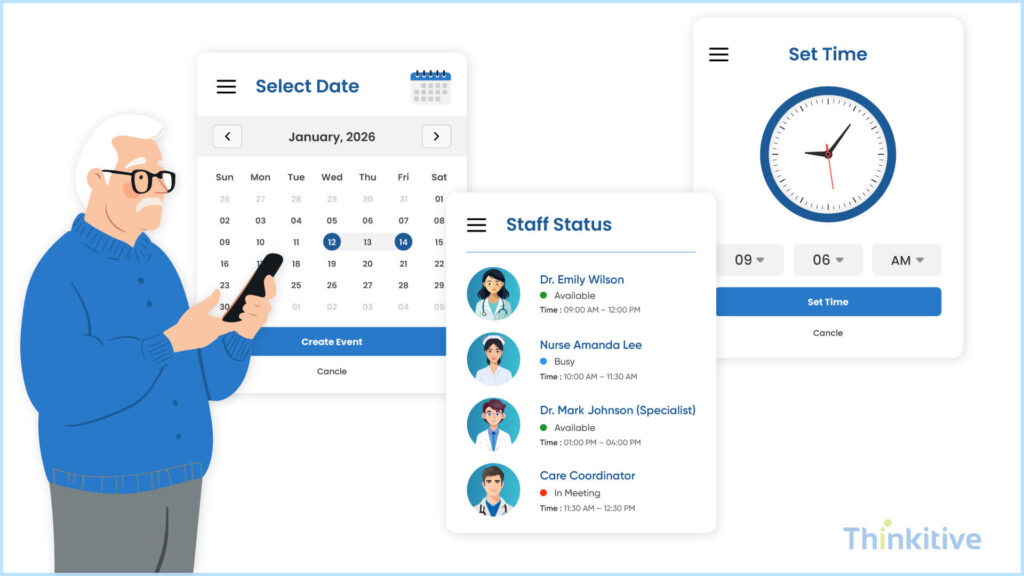
When you are offering care virtually and using your EHR system as a base for care delivery, then you need a platform where you can easily and effectively manage appointments and other things, right? This can be done with customizable EHR features for care collaboration, such as shared calendars and scheduling. Let’s see how it can be achieved with custom EHR software development:
- Centralized Calendar: By developing a centralized calendar for your practice, you can easily allow the patients to schedule their appointments at a time that is available and convenient for them. Furthermore, a shared view of provider schedules makes it easier for everyone to know which time slot is available or booked.
- Automated Scheduling: The feature of automated scheduling can also be integrated into your custom EHR software. This way, with intelligent scheduling algorithms, future care plan annotations in custom EHR can be set easily and without manual efforts. This reduces the administrative burden for healthcare providers and is a patient-centered communication tool in custom EHR.
- Real-time Availability Checks: With integrated calendars, the real-time availability of providers and their schedules can be easily checked. This is a crucial communication feature in custom EHR because, in case of a missed appointment, the slot can be allotted to a different patient in real time, saving both time and money for everyone involved.
One of the advancements that is done is scheduling has been auto-sync with the provider’s calendars. This helped healthcare providers in avoiding clashes and missed coordination windows and bringing the attention back to care deliveries.
Important Integrations That Your EHR System Needs
Get Free ConsultationCollaborative Care Plans & Shared Workspaces
While EHRs act as a central sharing point for providers to access patient information, there are still certain aspects that need to be covered that are stored in documents, such as pathology lab reports, radiology reports, etc. In such cases, the feature of document sharing can be used in custom EHR features for improved communication and collaboration.
- Secure Document Sharing: The custom EHR can be used to store and share patient documents with other patients and providers. Furthermore, with its HIPAA-compliant nature, the privacy, security, and integrity of the custom EHR can be ensured. Moreover, you can easily control access to this sensitive information with enhanced and robust security features such as role-based access control, encryption, etc.
- Collaborative Document Editing: Along with sharing and storage of these important medical documents, collaborative and real-time document editing features can prove to be extremely beneficial for healthcare providers. It can not only allow healthcare providers to collaborate in real-time while assessing the patient document, but also improve the accuracy in diagnosis and decision-making. In short, it improves the overall efficiency of healthcare providers.
This table will help you understand the shared calendar and scheduling systems:
| Calendar System | Strengths | Limitations | Best Use Cases |
| Integrated EHR Calendar | Unified view of appointments and team tasks | May lack flexibility for custom roles | Scheduling rounds, multidisciplinary care plans |
| Role-Based Task Calendar | Filters by role/responsibility | Can cause siloing if not integrated properly | Assigning case reviews and task ownership |
| Color-Coded Scheduling | Quick visual cues reduce missed events | May become cluttered with too many codes | Tracking visits, labs, and post-discharge calls |
| Mobile-Accessible Scheduling Tools | Enables real-time changes on the go | Dependent on mobile device availability | Home health coordination, field visits |
A collaborative feature that came in handy where multiple specialists contribute to care delivery, it can be shared with all the specialists and make changes in real-time. This gives everyone a clear idea where the care plan is heading and the best possible care can be delivered to the patient.
Furthermore, with a unified patient workspace feature, progress tracking becomes much easier and all the care team members can ensure that everybody is on the same page and working towards the same goal.
Also, have a look at the workflows that would drive better collaboration:

Task Management & Workflow Automation
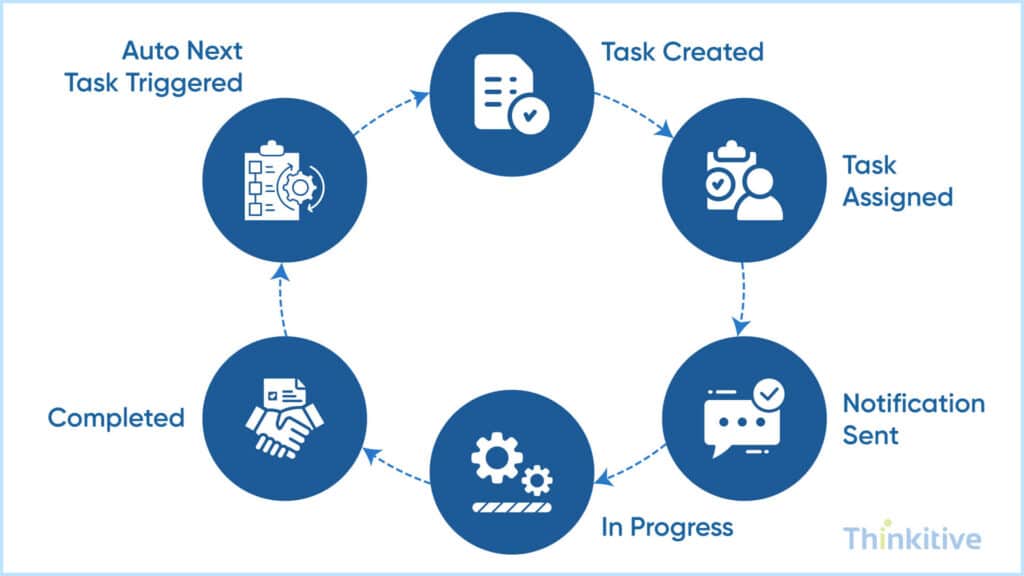
As a clinic or even a hospital using digital technologies to provide care and manage hospitals, coordination and collaboration are extremely important. Especially when it comes to deciding tasks for staff members and healthcare providers, in such cases, these collaborative EHR features for care collaboration can come in handy:
- Task Assignment and Tracking: With a simple dashboard for task management, EHR care coordination enables assignment of tasks and responsibilities to the respective care providers or staff members with just a few clicks. And since everything needs to be documented in the EHR system, you can efficiently manage the progress and deadlines of the tasks without much hassle.
- Workflow Automation: While task assignment and tracking need human intervention, there are several tasks that can be automated. For instance, when it comes to scheduling future appointments or sending reminders, alerts, etc., these tasks can be automated while aligning them with the workflows. This not only reduces manual efforts but also minimizes the margin of errors, if not eliminated completely.
- Reminders and Alerts: Timely reminders for important tasks and deadlines, such as appointments, can also be implemented to enhance team communication with a collaborative EHR.
Also, here is a workflow that you must consider with your patient engagement features that can boost collaboration during care. On that note, here’s the workflow:

Automation Features that Brings Efficiency
Download Feature ListPatient Portal Integration
Care collaboration doesn’t stop with the healthcare team, in fact, it also requires patients to stay informed throughout their care journey. A patient portal acts as a shared communication channel where patients and providers can securely exchange information, access care updates, and stay aligned on treatment plans.
Here are some ways a patient portal supports collaborative care:
- Secure Patient Access: A patient portal gives patients secure access to their health records, test results, visit summaries, and care plans. When patients have access to the same information as their care team, communication becomes clearer, follow-ups become easier, and care coordination improves.
- Secure Messaging: Built-in messaging enables patients to communicate directly with physicians and care teams without relying on phone calls or emails. This keeps conversations organized within the patient’s record and ensures everyone involved in care stays informed.
Together, these patient portal features strengthen communication between patients and healthcare providers, ensuring everyone involved in the care journey stays informed, connected, and aligned throughout treatment. Read this must-have custom EHR feature guide to know these features.
User Training: The Core of Your Healthcare System
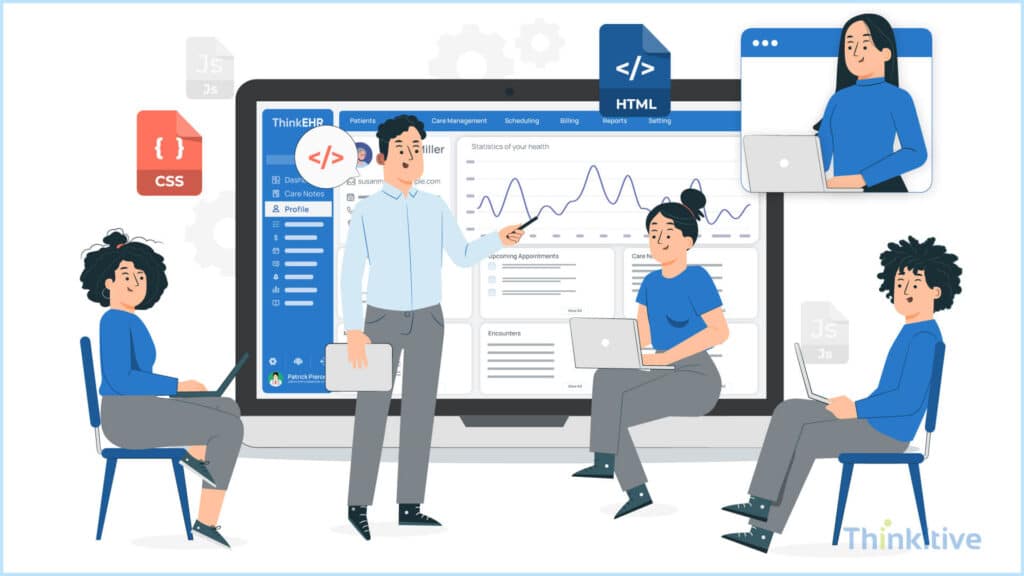
Your practice obviously consists of different people working in different departments. The diversity in the very smartphones they use is different, and coming from a diverse background, they obviously find it difficult to use a completely new system.
This, coupled with different variations of the tech-friendly nature of your users, will surely impact the usage of the software. Though user training comes as a part of the venture, but it is ignored considering the wide usage of software systems lately.
Having said that, the impact a simple training program can bring to the practice can be revolutionary. It can not only impact and boost the efficiency, but also lets everyone know to effectively use the software and make the most out of it.
Conclusion
In the symphony of healthcare, communication is the conductor ensuring harmony. Customizable Electronic Health Record (EHR) features emerge as the orchestrator, facilitating seamless collaboration among healthcare professionals. From secure messaging to interdisciplinary communication, each feature enhances teamwork, ultimately leading to better patient outcomes. With improved efficiency, coordination, and patient engagement, custom EHRs are poised to revolutionize healthcare delivery, ensuring every note matters in the symphony of patient care.
With improved efficiency, coordination, and patient engagement, custom EHRs are poised to revolutionize healthcare delivery, ensuring every note matters in the symphony of patient care.
Effective care coordination depends on more than just technology—it depends on giving every member of the care team the right information at the right time. By combining secure communication, shared care plans, workflow automation, and collaborative workspaces, a custom EHR helps healthcare teams stay aligned and deliver better patient care.
If you’re planning for custom EHR development tailored to your practice’s collaborative workflows, our experts can help you design a solution that fits your team’s unique needs.
Frequently Asked Questions
The most valuable custom EHR features for care collaboration include secure messaging, shared care plans, collaborative workspaces, role-based task management, real-time notifications, shared calendars, centralized documentation, and workflow automation. Together, these features help physicians, nurses, specialists, and administrative staff communicate efficiently, coordinate care, and reduce delays throughout the patient’s treatment journey.
The most essential custom EHR features for care collaboration include shared care plans, team-specific workflows, integrated secure messaging, task automation, specialty-specific templates, role-based dashboards, and real-time clinical alerts. These features allow clinicians, nurses, specialists, and administrative staff to work within a unified system tailored to the needs of the specific practice—whether behavioral health, cardiology, orthopedics, or primary care.
A custom EHR improves care coordination by centralizing patient data, automating interdepartmental communication, and aligning workflows across all providers. Orders, referrals, notes, and diagnostic reports flow seamlessly between teams, reducing information silos and ensuring everyone has the most current patient information at the point of care.
Yes. Custom EHR messaging tools are fully HIPAA-compliant when implemented with end-to-end encryption, secure access controls, audit trails, and user authentication. Compared to generic tools, custom systems allow stricter configuration—for example, role-based message access, time-bound permissions, and secure internal chat—ensuring PHI is transmitted safely.
General EHR features focus on documentation, billing, and record storage.
Care collaboration features, however, focus on team-based care delivery and include shared care plans, secure messaging, interdisciplinary task management, real-time notifications, and cross-team visibility. These tools streamline communication and keep every clinician aligned on treatment goals.
These tools reduce administrative burden by automating scheduling, reducing back-and-forth phone calls, eliminating manual task tracking, and providing real-time updates on patient progress. Shared calendars synchronize provider availability, while automated tasks ensure nothing is missed—improving efficiency across clinical and administrative teams.
Absolutely. Custom EHRs for multidisciplinary collaboration are designed for the unique workflows of each specialty and care team. Off-the-shelf systems rely on generic modules, but custom solutions offer specialty templates, configurable dashboards, cross-team coordination tools, and custom routing rules—making collaboration more natural and intuitive.
Automation features include:
- Auto-routing clinical tasks based on role or department
- Automated alerts for lab results, follow-ups, and care gaps
- Smart task assignment for multidisciplinary teams
- Workflow triggers for referrals, authorizations, or care plan updates
- Auto-generated summaries for team huddles
These automations accelerate collaborative healthcare workflows using EHR and reduce manual workload.
Improved communication ensures faster decision-making, fewer handoff errors, more coordinated care plans, and timely interventions. When clinicians have a shared, accurate view of the patient journey, it leads to better continuity of care, improved adherence to treatment goals, and ultimately better patient outcomes.
Common challenges include siloed data, poor cross-team visibility, delays in communication, manual follow-ups, inefficient handoffs, and inconsistent care plans. Without a collaborative EHR, teams often rely on fragmented communication tools—leading to errors, duplication, and care delays.
The most valuable features for coordinated care include:
- Real-time secure messaging
- Shared care plans & interdisciplinary notes
- Department-specific workflows
- Role-based dashboards
- Collaborative task management
- Alerts for care gaps, labs, and medication issues
- Automated referrals and routing
- Shared calendars and shift coordination
These features ensure that every clinician works in sync, reducing errors and improving overall care quality.


