Collaboration in Care: Custom EHR Features for Enhanced Team Communication

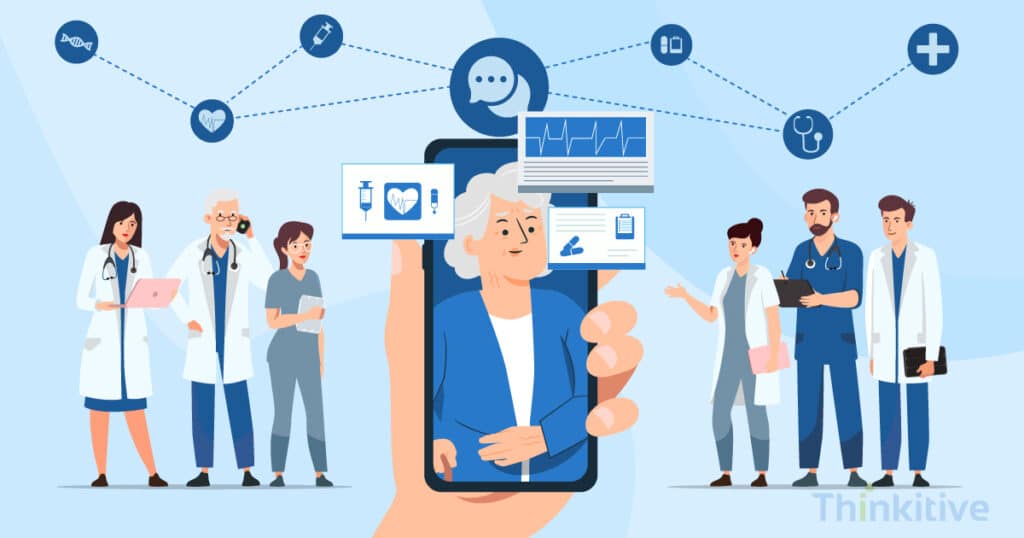
Ever wondered how healthcare professionals are able to provide accurate care almost every time?
Yes, you guessed it right, it is because of collaboration with other healthcare providers, professionals and most of the time colleagues that are present in some other hospital. If you’re a healthcare provider and use EHR software in your practice, then you know the role it plays in bringing the entire care team on the same page.
However, while scratching the surface of the internet, I came across this stat that said, hospitals sharing health data to outside organisations rose from 71% in 2018 to 84% in 2023. This has not only resulted in improved care practices but also in improving communications, administrative procedures and much more.
In fact, a 2025 stats review stated that 82% of patients felt EHRs enhanced communication between healthcare providers, leading to better care coordination, and improved collaboration.
And EHRs have proven that it instills collaboration throughout the care delivery process. Let me explain quickly.
The journey starts with the patient experiencing some mild health concerns and then moving ahead with the healthcare provider for consultation. From here, the real healthcare journey starts, and other members providing healthcare services get involved, such as pathologists, specialists, nurses, pharmacists, etc.
Having said that, to meet unique needs of their practice and other intricacies, the tide is shifting towards custom EHR.
But did you know that there are custom EHR features for care collaboration that can literally change the face of your practice?
Yes, these custom EHR software features can reduce the time spent on care delivery and eliminate duplicate tests and other communication gaps.
In this blog, let’s explore these custom EHR features in healthcare and how it can change the nature of healthcare delivery with efficiency and integrity.
Collaborative Features That Support Holistic Care in Custom EHR
Download Feature ListSecure Clinical & Real-Time Communication Tools
To begin with, the communication tools that you can include while building your own EHR set the bedrock for enhanced communication. The real-time communication features in custom EHR allow the entire team to be aware of even minor changes in care plans or other aspects. To give you an idea about these communication features in custom EHR, here are a few things that you must know:
- Integrated Messaging: Integrated messaging in the software allows patients or providers to proactively start a conversation. Furthermore, the HIPAA compliance of these tools allows secure messaging while EHR software development, which proves crucial in delivering timely care while avoiding unnecessary mistakes such as duplication, etc.
- Video Conferencing: Video conferencing is necessary for your digital healthcare practice. With integration with telehealth platforms, virtual consultation is made possible, where the entire care team can be present to know the patient better and set the base for coordinated care delivery. These collaborative features not only enable your practice to remotely collaborate with the care team members but also allows you to make informed decisions in time to avoid any further complications to the patient’s health.
- Notifications and Alerts: In virtual care delivery, there are chances that a care provider updates something in the EHR, and other members are not being notified about it. Well, with customizable EHR features for enhancing team communication with EHR, real-time notifications and alerts can be sent to every care team member. This ensures the timely nature of care delivery for critical events and tasks. Furthermore, it also improves the response time of the care providers, and patient care is streamlined and care coordination EHR helps in coordinating while making informed decisions.
Refer to this for messaging approaches in custom EHRs to help you understand how you built a complete communication system:
| Messaging Type | Strengths | Limitations | Best Use Cases |
| Secure Internal Chat | Real-time communication, quick updates, HIPAA-compliant | Not ideal for complex discussions or attachments | Nurse-to-provider updates, medication clarifications |
| Structured Message Templates | Standardized info sharing reduces errors | Can feel rigid, limited personalization | Shift change summaries, referral notes |
| Patient-Provider Messaging Portals | Keeps patients informed, asynchronous | Delays in response, limited team visibility | Patient education, follow-up queries |
| Group Messaging | Notifies entire care teams simultaneously | Risk of message overload, needs role-based filters | Emergency alerts, team-wide announcements |
Furthermore, one of the advanced features like role-based alert filtering can be instilled into your system to prevent alert fatigue and keep the care team focused on the specific needs of the patient and their care.
On top of that, to keep all the teams on the same level to provide personalized care, certain functionalities like team tagging, group channels, and role-based message routing to support multidisciplinary team collaborations.
Download Feature List That Promote Collaboration Amongst Care Teams
Download Feature ListStreamlined Care Team Scheduling & Availability

When you are offering care virtually and using your EHR system as a base for care delivery, then you need a platform where you can easily and effectively manage appointments and other things, right? This can be done with customizable EHR features for care collaboration, such as shared calendars and scheduling. Let’s see how it can be achieved with custom EHR software development:
- Centralized Calendar: By developing a centralized calendar for your practice, you can easily allow the patients to schedule their appointments at a time that is available and convenient for them. Furthermore, a shared view of provider schedules makes it easier for everyone to know which time slot is available or booked.
- Automated Scheduling: The feature of automated scheduling can also be integrated into your custom EHR software. This way, with intelligent scheduling algorithms, future care plan annotations in custom EHR can be set easily and without manual efforts. This reduces the administrative burden for healthcare providers and is a patient-centered communication tool in custom EHR.
- Real-time Availability Checks: With integrated calendars, the real-time availability of providers and their schedules can be easily checked. This is a crucial communication feature in custom EHR because, in case of a missed appointment, the slot can be allotted to a different patient in real time, saving both time and money for everyone involved.
One of the advancements that is done is scheduling has been auto-sync with the provider’s calendars. This helped healthcare providers in avoiding clashes and missed coordination windows and bringing the attention back to care deliveries.
Important Integrations That Your EHR System Needs
Get Free ConsultationCollaborative Care Plans & Shared Workspaces
While EHRs act as a central sharing point for providers to access patient information, there are still certain aspects that need to be covered that are stored in documents, such as pathology lab reports, radiology reports, etc. In such cases, the feature of document sharing can be used in custom EHR features for improved communication and collaboration.
- Secure Document Sharing: The custom EHR can be used to store and share patient documents with other patients and providers. Furthermore, with its HIPAA-compliant nature, the privacy, security, and integrity of the custom EHR can be ensured. Moreover, you can easily control access to this sensitive information with enhanced and robust security features such as role-based access control, encryption, etc.
- Collaborative Document Editing: Along with sharing and storage of these important medical documents, collaborative and real-time document editing features can prove to be extremely beneficial for healthcare providers. It can not only allow healthcare providers to collaborate in real-time while assessing the patient document, but also improve the accuracy in diagnosis and decision-making. In short, it improves the overall efficiency of healthcare providers.
This table will help you understand the shared calendar and scheduling systems:
| Calendar System | Strengths | Limitations | Best Use Cases |
| Integrated EHR Calendar | Unified view of appointments and team tasks | May lack flexibility for custom roles | Scheduling rounds, multidisciplinary care plans |
| Role-Based Task Calendar | Filters by role/responsibility | Can cause siloing if not integrated properly | Assigning case reviews and task ownership |
| Color-Coded Scheduling | Quick visual cues reduce missed events | May become cluttered with too many codes | Tracking visits, labs, and post-discharge calls |
| Mobile-Accessible Scheduling Tools | Enables real-time changes on the go | Dependent on mobile device availability | Home health coordination, field visits |
A collaborative feature that came in handy where multiple specialists contribute to care delivery, it can be shared with all the specialists and make changes in real-time. This gives everyone a clear idea where the care plan is heading and the best possible care can be delivered to the patient.
Furthermore, with a unified patient workspace feature, progress tracking becomes much easier and all the care team members can ensure that everybody is on the same page and working towards the same goal.
Task Management & Workflow Automation

As a clinic or even a hospital using digital technologies to provide care and manage hospitals, coordination and collaboration are extremely important. Especially when it comes to deciding tasks for staff members and healthcare providers, in such cases, these custom EHR features for care collaboration can come in handy:
- Task Assignment and Tracking: With a simple dashboard for task management, custom EHR enables assignment of tasks and responsibilities to the respective care providers or staff members with just a few clicks. And since everything needs to be documented in the EHR system, you can efficiently manage the progress and deadlines of the tasks without much hassle.
- Workflow Automation: While task assignment and tracking need human interventions, there are several tasks that can be automated. For instance, when it comes to scheduling future appointments, or sending reminders, alerts, etc., these tasks can be automated while aligning them with the workflows. This not only reduces manual efforts but also minimizes the margin of errors, if not eliminated completely.
- Reminders and Alerts: Timely reminders for important tasks and deadlines, such as appointments, can also be implemented to enhance team communication with EHR.
Automation Features that Brings Efficiency
Download Feature ListPatient Portal Integration
While you are providing all these things to enhance collaboration, there should be a platform where you can manage all these things, right? Well, the patient portal does exactly that for you.
Here are some benefits of enhanced communication in healthcare delivery with a patient portal:
- Secure Patient Access: With a patient portal, you give your patients a platform to directly stay connected with their health journey. Over the patient portal, patients can view their health records and test results almost instantly and in real-time. This not only empowers them to proactively take part in their care journey but also contributes to improving patient engagement and satisfaction rate effectively.
- Message Boards: Patient portals must come with message boards, this is to enable and establish direct communication between patients and providers. Furthermore, it also enhances patient-provider relationships, which are crucial for the patient as well as for providers to get the desired health outcomes.
Apart from the features mentioned above, there are several other features that help you bring your entire care team on the same page to work together towards the same goal. Read this must-have custom EHR feature guide to know these features.
User Training: The Core of Your Healthcare System

Your practice obviously consists of different people, working in different departments. The diversity in the very smartphone they use is different and coming from a diverse background they obviously find it difficult to use a completely new system.
This coupled with different variations of tech-friendly nature of your users will surely impact the usage of the software. Though , user training comes as a part of the venture, but it is ignored considering the wide usage of software systems lately.
Having said that, the impact a simple training program can bring to the practice can be revolutionary. It can not only impact and boost the efficiency, but also lets everyone know to effectively use the software and make the most out of it.
Conclusion
In the symphony of healthcare, communication is the conductor ensuring harmony. Customizable Electronic Health Record (EHR) features emerge as the orchestrator, facilitating seamless collaboration among healthcare professionals. From secure messaging to interdisciplinary communication, each feature enhances teamwork, ultimately leading to better patient outcomes. With improved efficiency, coordination, and patient engagement, custom EHRs are poised to revolutionize healthcare delivery, ensuring every note matters in the symphony of patient care.
So, if you want to build an EHR that acts as the conductor and keeps coordination seamless, then click here and book your free assessment today.
Frequently Asked Questions
The most essential custom EHR features for care collaboration include shared care plans, team-specific workflows, integrated secure messaging, task automation, specialty-specific templates, role-based dashboards, and real-time clinical alerts. These features allow clinicians, nurses, specialists, and administrative staff to work within a unified system tailored to the needs of the specific practice—whether behavioral health, cardiology, orthopedics, or primary care.
A custom EHR improves care coordination by centralizing patient data, automating interdepartmental communication, and aligning workflows across all providers. Orders, referrals, notes, and diagnostic reports flow seamlessly between teams, reducing information silos and ensuring everyone has the most current patient information at the point of care.
Yes. Custom EHR messaging tools are fully HIPAA-compliant when implemented with end-to-end encryption, secure access controls, audit trails, and user authentication. Compared to generic tools, custom systems allow stricter configuration—for example, role-based message access, time-bound permissions, and secure internal chat—ensuring PHI is transmitted safely.
General EHR features focus on documentation, billing, and record storage.
Care collaboration features, however, focus on team-based care delivery and include shared care plans, secure messaging, interdisciplinary task management, real-time notifications, and cross-team visibility. These tools streamline communication and keep every clinician aligned on treatment goals.
These tools reduce administrative burden by automating scheduling, reducing back-and-forth phone calls, eliminating manual task tracking, and providing real-time updates on patient progress. Shared calendars synchronize provider availability, while automated tasks ensure nothing is missed—improving efficiency across clinical and administrative teams.
Absolutely. Custom EHRs for multidisciplinary collaboration are designed for the unique workflows of each specialty and care team. Off-the-shelf systems rely on generic modules, but custom solutions offer specialty templates, configurable dashboards, cross-team coordination tools, and custom routing rules—making collaboration more natural and intuitive.
Automation features include:
- Auto-routing clinical tasks based on role or department
- Automated alerts for lab results, follow-ups, and care gaps
- Smart task assignment for multidisciplinary teams
- Workflow triggers for referrals, authorizations, or care plan updates
- Auto-generated summaries for team huddles
These automations accelerate collaborative healthcare workflows using EHR and reduce manual workload.
Improved communication ensures faster decision-making, fewer handoff errors, more coordinated care plans, and timely interventions. When clinicians have a shared, accurate view of the patient journey, it leads to better continuity of care, improved adherence to treatment goals, and ultimately better patient outcomes.
Common challenges include siloed data, poor cross-team visibility, delays in communication, manual follow-ups, inefficient handoffs, and inconsistent care plans. Without a collaborative EHR, teams often rely on fragmented communication tools—leading to errors, duplication, and care delays.
The most valuable features for coordinated care include:
- Real-time secure messaging
- Shared care plans & interdisciplinary notes
- Department-specific workflows
- Role-based dashboards
- Collaborative task management
- Alerts for care gaps, labs, and medication issues
- Automated referrals and routing
- Shared calendars and shift coordination
These features ensure that every clinician works in sync, reducing errors and improving overall care quality.


