Key Features in Custom EMR Software

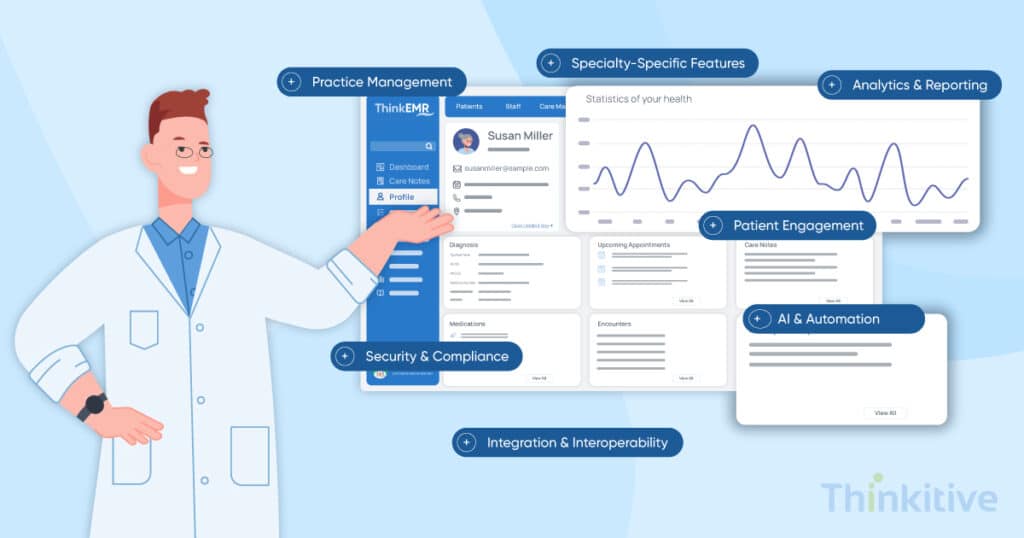
EMR features are the clinical, administrative, and operational capabilities that enable healthcare practices to document patient encounters, manage medical records, streamline workflows, and support better decision-making. Today, EMR systems have become the epicenter of care delivery for healthcare practices in some way or another. From clinical care delivery to filling out administrative forms, EMRs have become the point of reference for almost all the day-to-day activities in your clinic, right?
Now that EMR systems have become such an integral part of healthcare software systems, you must guess that most of the users are quite satisfied with using an EMR system, right? Well, this stat might change your mind. You see, in a 2024 survey of 2067 family physicians, EMR-based alerts had the lowest usability ratings, and that’s just one of the EMR features.
Originally, the EMR systems were designed to meet the billing regulatory requirements of a practice, rather than addressing the clinical workflows and care delivery. And that is the reason why 58% of physicians were dissatisfied with their EMR system’s impact on their patient relationships.
However, recognizing the potential and advancing as per the physicians’ needs, EMR has become what they are today. And still, most of the readily available EMR systems are not satisfying the growing needs of healthcare providers, and this is what has encouraged providers to look for customizable EMR that aligns with their practice’s unique clinical and administrative requirements.
But there is a problem as well. You see, providers want to implement a custom EMR solution that fits the way their practice delivers care. ‘What features should custom EMR software include?’ is one of the most important questions providers should answer before choosing or building their EMR solution.
Knowing the right features before selecting, implementing, or building an EMR solution is crucial for long-term success. And after encountering this question from many of our clients, this is the reason why I decided to pen this blog.
On that note, let’s discuss the key EMR functionalities needed by medical practices and let this blog be your guide to deciding the EMR software key features, and for scanning, provide you with an EMR feature checklist.
So, without further ado, let’s get started!
What Are the Key Features of Custom EMR Software?
Covering the clinical aspects from the software side, it basically defines the core custom EMR capabilities of your software. On that note, here is the EMR features checklist that you must not compromise on.
- Clinical Documentation: Every custom EMR should support structured SOAP notes, specialty-specific templates, voice dictation, and AI-powered medical scribing. These features improve documentation accuracy, reduce administrative burden, and help providers spend more time with patients.
- Patient Demographics and Medical History: A custom EMR should securely maintain complete patient records, including demographics, allergies, medications, immunizations, medical history, and previous encounters. Easy access to this information improves continuity of care and clinical decision-making.
- Electronic Prescribing (ePrescribing): Electronic prescribing enables providers to send prescriptions directly to pharmacies while performing drug interaction and allergy checks. This reduces medication errors and improves patient safety.
- Appointment Scheduling and Reminders: Integrated scheduling tools simplify appointment booking, calendar management, and automated reminders via SMS or email. These features reduce no-shows and improve clinic efficiency.
- Clinical Decision Support (CDS): Clinical decision support provides real-time alerts, evidence-based recommendations, diagnosis suggestions, and preventive care reminders. It helps clinicians make informed decisions at the point of care.
Checklist for Essential EMR Features
Free DownloadPractice Management Features Every Custom EMR Should Include

All the key features of custom EMR for clinical needs are covered. But you will also be using the EMR software for practice management, right? On that note, here are some additional practice management features every custom EMR should include:
- Billing and Coding: Billing makes up most of the administrative tasks for your clinic. With automated billing and coding features, you can streamline and automate the billing and coding processes, which include claims submission and insurance verification. The automation processes will help you generate accurate and timely invoices, which will directly or indirectly contribute to improving your revenue cycle. Moreover, it will take the burden off your staff and contribute to improving practice profitability and financial performance. The functionality that will help you in this is automated code suggestions and claim scrubbing. For instance, the flow will go from documentation to coding to billing flows; this will automatically convert encounter data into relevant CPT or ICD codes.
- Reporting and Analytics: Another key feature for your practice management can be customized reporting and analytics. Since reporting is an essential part of care delivery, this feature will allow you to generate customized reports on patient demographics, appointment scheduling, billing patterns, and other key performance indicators. These reporting and analytics features will help you gain valuable insights into where your practice is lacking and take action to improve in those areas. Furthermore, with reporting and analytics, you will have data-driven decision-making support, which increases provider productivity, reduces documentation time and errors, and accounts for enhancing visit efficiency.
- Workflow Automation: With AI dictating the future trends in healthcare software systems, it can be a great tool for your practice, and leave the routine tasks to automation. For instance, with automated task routing and form filling, tasks can be automatically routed to the necessary departments, and form filling will be automated with synchronization. These functionalities will reduce manual processes and speed up documentation immensely, right from patient check-in to consultation and finally discharge. Other than that, it also makes things related to coordination much easier for staff, right from the front desk to the nurse and even the physicians.
Patient Engagement Features That Improve the EMR Experience
While the key features in custom EMR, consisting of clinical and practice management, are enough for you to make a smooth transition to virtual care practices. However, if you are thinking about starting virtual care delivery—which you are—then considering these patient engagement features can literally help you start and streamline your virtual care delivery processes.
- Patient Portal: In customizable EMR applications, the patient portal will be the point of contact for your patients during their care journey. Secure online access to their medical records, appointments, and communications will empower them to participate proactively in their care journey. Furthermore, it can set the stage for patient education and self-management, directly or indirectly contributing to achieving the desired patient health outcomes.
- Telehealth Integration: While most of the patient care journey will be covered in other features, it can bridge the care access gaps, such as telehealth. With telehealth integration, you can provide remote patient consultation via video conferencing, audio calls, etc. This will improve access to care services in remote locations while making care services convenient. These patient engagement features help solo practitioners expand access to care and improve the overall patient experience.
- Secure Bidirectional Messaging: Most of the EMR system that are feature-focused only provide one way messaging. This way, the empowerment of patient is often missing and it again increases the load on providers and patients. A quick fix to this is bidirectional messaging functionality. And this fetaure sould support quick provider-patient communication, which comes from your EMR system.
Integration and Interoperability Features Every EMR Needs
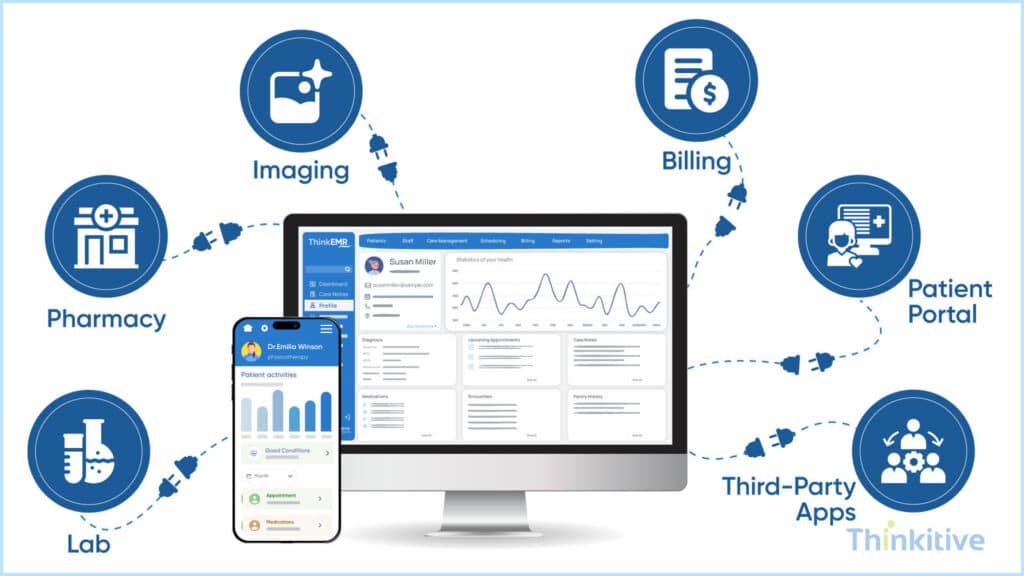
One of the biggest advantages of a custom EMR solution over off-the-shelf software is its ability to integrate seamlessly with other healthcare systems. By integrating your custom EMR software with other healthcare systems, such as labs, imaging centers, and pharmacy networks, data flow is streamlined and seamless.
Moreover, by ensuring seamless data exchanges, you also ensure there is seamless coordination in care delivery and no leaf is left unturned. In simple terms, it helps clinicians access relevant patient data during encounters without disrupting workflows. Here are some functionalities that you need to know:
- Seamless System Integration: Your practice needs to exchange data with other healthcare systems to deliver care and smoothly run administration, right? That is why you need to establish seamless integration with disparate systems like labs, imaging systems, pharmacy networks, and RPM devices.
- FHIR-Based Interoperability: For establishing this seamless integration, you need to achieve interoperability first, and FHIR-based interoperability is one of the standardized data exchanges that is used across systems. With this, you can reduce the chances of duplicated tests and results.
- Unified Patient Records: One of the key features of EMR in this sense is the creation of unified patient records. With this, you centralize all the data from providers and care settings; this way, you can ensure everyone involved in care delivery and your administrative staff are on the same page.
Note: Now that you know the essential features every custom EMR should include, let’s go a mile ahead and have a look at the advanced features that can help you transform your practice. Read this custom EMR software feature guide.
Specialty-Specific Features for Custom EMRs
We all know that different specialties have different needs and requirements, and that is why your custom EMR capabilities must be specific to your specialty. Some of the core EMR feature checklist in this would include custom templates to capture and document your specific needs.
Other than that, the workflow of your custom EMR must align with the specialty workflow of your practice. This makes things easier, and the care delivery process is also enhanced. And last but not least, with configurable forms, it offers your practice and EMR system a touch of personalization.
AI Features Every Modern Custom EMR Should Include
Today, your custom EMR capabilities must involve AI. On that note, here are some of the EMR software key features that must be there in your EMR feature checklist powered by AI:
- AI Scribe: With these features, the doctor-patient conversations would be automatically captured and converted into structured clinical notes, reducing manual documentation.
- AI Coding: With these features, your system automatically analyzes clinical documentation in real time and suggests accurate CPT and ICD codes. This will streamline your billing workflows and minimize coding errors during and after the encounter.
- AI-Powered Clinical Decision Support (CDS): This AI-powered feature is one of the most highly anticipated features in EMR. It allows providers to access real-time clinical insights such as diagnosis suggestions, drug interaction alerts, or treatment recommendations. These functionalities are directly embedded into the workflows and support faster and more informed decision-making during patient visits.
Data Security & Privacy
The inclusion of digital technologies in the healthcare landscape has made it prone to cyberattacks and cyber threats. And given the sensitive nature of data stored in custom EMR software, it can be a gold mine for cyberattackers. That is why robust data security and privacy measures must be taken.
Some of the best practices for data security and privacy in the healthcare industry include data encryption, role-based access controls, and conducting regular security audits. While data encryption makes it hard to decrypt, access control measures allow only authorized users to access this data.
However, HIPAA compliance for custom EMR solutions must not be ignored, as it can act as a guide for implementing robust data security and privacy measures. Along with that, the security audits you conduct will help you identify and address gaps in your security.
This way, you protect not only your patient data from unauthorized access but also from external cyber threats.
Advanced & Specialty-Specific Features
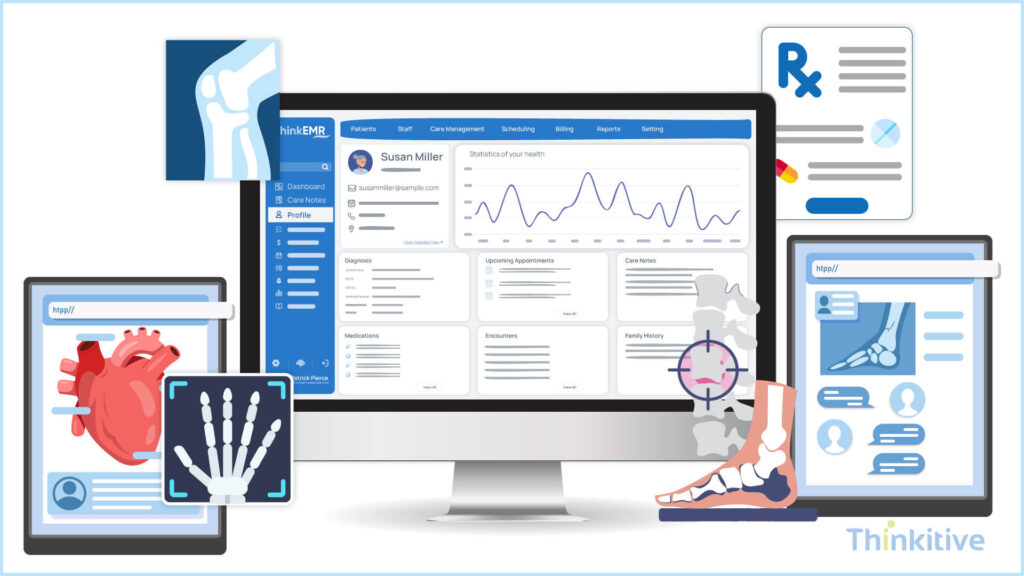
If you’re a specialty-focused healthcare practice, then you need customization more than any other practice. Here are some things that you need to know:
- Custom Templates: Specialty practices have unique workflows, and with that, their clinical and administrative needs change. But mainly they consist of clinical workflows and data capturing methods. To address you need custom templates, and it becomes one of the key features of your custom EMR.
- Configurable Workflows: As discussed just now, specialty practices have unique needs, one of which is documentation requirements as well. To address this, you need to curate workflows with respect to that so that your software aligns with your clinical, administrative, and documentation needs effectively and efficiently.
- Reporting & Forms: Reporting and forms of specialty practices are also unique. And when developing or designing the features of your custom EMR, you need to understand those and address its specific requirements, so that data capturing and reporting become easier for your staff and care is delivered uninterrupted.
Specialty Specific Features Checklist That You Need
Download Free ChecklistConclusion
The features you choose determine how effectively your EMR supports clinical care, practice operations, and future growth. So let not the predefined features stop your practice from performing at its maximum capabilities. Furthermore, one thing you should remember during EMR software development is choosing open-source vs. proprietary EMR development platforms, but that is a topic for another blog.
On that note, let this blog be your guide to choosing the right key features in custom EMR. Remember, all the features that you choose should be based purely on the needs and future aspects of your practice.
Let’s take a leap of faith and trust us to develop the ideal feature-rich custom EMR software for your practice. Book your call with an EMR software development company to get expert consultation today.
Frequently Asked Questions
The key features of a custom EMR include clinical documentation, patient records, ePrescribing, appointment scheduling, clinical decision support, billing and coding, reporting, interoperability, patient portals, AI-powered automation, and specialty-specific templates. Together, these features improve clinical efficiency, documentation accuracy, patient engagement, and operational performance.
The key features of custom EMR software in 2026 go beyond basic digital charting. Every modern practice should prioritize configurable clinical documentation, specialty-specific workflows, real-time interoperability, AI-assisted decision support, and advanced analytics. A comprehensive EMR features list should also include secure patient portals, automated billing support, role-based access control, and scalable architecture. These key EMR functionalities needed by medical practices ensure efficiency, compliance, and long-term adaptability.
To identify the most relevant features of custom EMR, practices should map daily clinical workflows, documentation complexity, and regulatory needs specific to their specialty. For example, behavioral health may require longitudinal notes and outcome tracking, while surgical practices prioritize imaging integration and procedure templates. This approach ensures custom EMR features support clinical workflows rather than forcing clinicians to adapt to generic systems.
AI-powered tools significantly enhance how custom EMR features support clinical workflows. Clinical decision support systems (CDSS) provide real-time alerts for drug interactions, abnormal labs, and evidence-based recommendations. Predictive analytics help identify at-risk patients earlier, while automation reduces manual data entry. These key features of EMR improve accuracy, reduce cognitive load, and allow clinicians to focus more on patient care.
A fully functional EMR depends on seamless integrations. Essential EMR features include bi-directional lab integrations, PACS and imaging connectivity, e-prescribing with pharmacy networks, and Health Information Exchange (HIE) access using HL7 and FHIR standards. These integrations ensure continuity of care and are a core part of what features custom EMR software should include for real-world usability.
Patient engagement improves when EMR systems include intuitive portals, automated appointment reminders, online intake forms, and secure messaging. Features like telehealth access, mobile-friendly interfaces, and personalized care plans directly reduce no-shows and cancellations. These patient-facing capabilities are increasingly viewed as key features of custom EMR rather than optional add-ons.
HIPAA-compliant EMR usage requires robust security features such as role-based access control (RBAC), multi-factor authentication (MFA), audit logs, data encryption at rest and in transit, and automatic session timeouts. Regular compliance reporting and configurable consent management are also critical EMR features for reducing legal and operational risk.
The highest ROI typically comes from automation and intelligence-driven capabilities. Workflow automation, AI-assisted documentation, billing and coding support, and analytics dashboards reduce administrative costs and improve revenue capture. These features of custom EMR directly impact productivity, making them some of the most valuable key features of EMR for scaling practices.
Implementation timelines vary based on scope and integrations, but most custom EMR projects take 4 to 6 months for core functionality, followed by phased feature rollouts. Because the system is built around practice-specific needs, adoption is often faster than with off-the-shelf software. This phased approach ensures all key EMR functionalities needed by medical practices are delivered without disrupting care delivery.


