Solving the “Too Many Clicks” Problem in Your EHR System

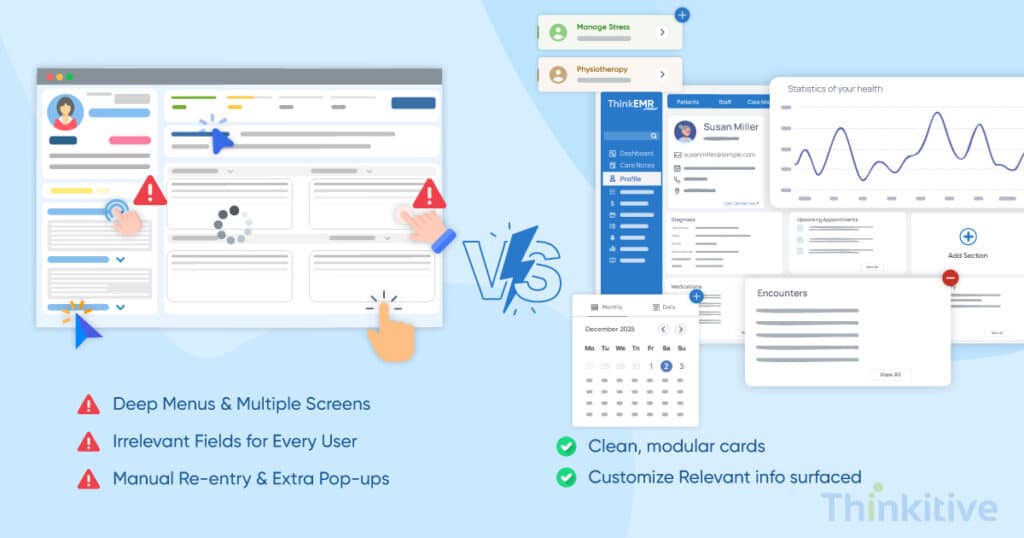
As a clinician, during consultations, you focus on two things: talking to the patient and, second, looking at the computer screen and doing the necessary tasks such as documentation, prescriptions, etc. While you can see the frustration on the patient’s face due to the constant sound of clicks, the patient may feel the doctor is more focused on documentation than on diagnosis or treatment.
Have you been in a similar situation?
Well, the problems that we’ve been introduced to by countless physicians are often related to EHR workflows and usability. And they have been actively looking for a solution for their EHR usability optimization. This leaves them with only one choice – adopting a custom EHR solution.
To list some of the major reasons for this swift shift, some of the prominent problems are increased documentation time due to too many clicks in the interface and a cognitive burden on the whole team. And don’t even let me get started with the burnout of physicians. The piling frustrations often led to burnout, and that is one of the major problems that clinicians have been trying to solve, especially in the United States of America.
Now, the question that arises here is, ‘What can be done about this?’
The answer lies in EHR and EMR software development, which allow for EHR customization, allowing you to mold the software according to your needs and requirements. On that note, here are some EHR workflow optimization strategies for clinicians that can simplify EHR workflows with custom EHR solutions.
In this blog, let’s try to find the answer to solving the ‘too many clicks’ in your generic EHR software with custom EHR solutions.
Assess Your EHR System for AI Readiness
Get Free AssessmentKey Takeaways
- Optimizing EHR usability reduces unnecessary clicks, cognitive load, and documentation fatigue.
- Customizable EHR interfaces improve the user experience through role-based dashboards, templates, and shortcuts.
- Intelligent automation, AI-assisted documentation, and system integrations streamline clinical workflows.
- Continuous training, user feedback, and usability improvements help maintain long-term efficiency.
- Reducing clicks in your EHR system allows clinicians to spend more time with patients and less time navigating software.
Generic EHR vs. Optimized Custom EHR for Better Usability
| Generic EHR | Optimized Custom EHR |
| Multiple screens for common tasks | Single-screen workflows for common tasks |
| Generic templates for all users | Role-based templates and dashboards |
| High number of clicks per task | Fewer clicks through streamlined workflows |
| Manual documentation | AI-assisted documentation and automation |
| Complex navigation | Intuitive, user-friendly interface |
| Higher cognitive load | Improved usability and clinician efficiency |
How Can You Reduce Clicks in Your EHR System?
Reducing clicks in an EHR system requires a structured approach that combines workflow optimization, usability improvements, intelligent automation, and continuous refinement. Follow these six steps to improve EHR usability and create a better user experience.
Step 1: Optimize & Standardize Clinical Workflows for Efficiency
The first and foremost step in reducing clicks in EHR is understanding your system through and through. Begin by auditing the current processes to identify the bottlenecks and repetitive tasks that require revisiting and several clicks.
For instance, if you need a few extra clicks to synchronise the data across dashboards, then it can be brought down to a single click or even no clicks. Such problems can only be identified in auditing. After listing out all the problems, redesign the inefficient workflows to align with actual clinical practice.
Once that is implemented, standardized templates, order sets, and protocols will be in place so that your software aligns with necessary clinical and administrative workflows to ensure smooth working for everyone involved.
Furthermore, while you’re auditing the entire workflows and redesigning some of the core workflows of the software, identify screens, fields, and steps that seem unnecessary or repeated. This can result in great improvement for your workflows, and forced navigation between processes can also be eliminated.
These are some of the starting steps to streamline EHR documentation and reduce fatigue. Also, it sets the bedrock for improving clinical efficiency with EHR customization.
Step 2: Personalize Your EHR to Reduce Clicks
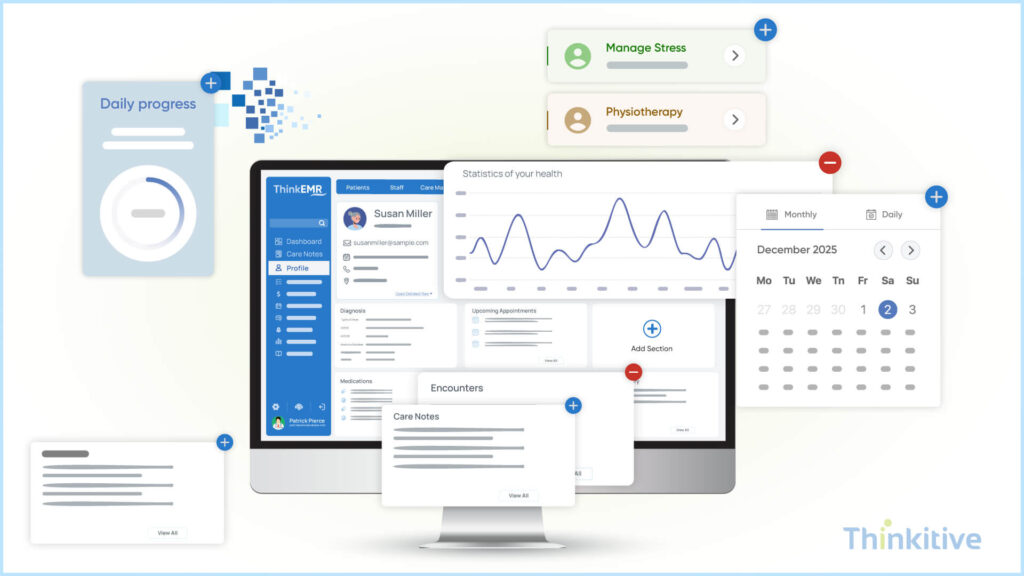
One of the major advantages of custom EHR solutions is that they allow you to customize the EHR according to your needs. Meaning, by using templates and macros to automate repetitive documentation, you can give your users a delightful experience with EHR usability optimization and reduce clicks in the EHR system by a huge number.
Automation can be a game-changing factor in this process. Since it can not only reduce the click rate but also ensure that all the information is synchronized at all processes accurately and instantly.
However, there are different roles in a clinic or a hospital, and one template that is usually used in generic EHRs just doesn’t fit everyone’s needs. This is again where EHR customization can be of great help. By tailoring role-based dashboards, they can tailor specific templates for their roles and ensure that they only see relevant data that is for their use. This way, you can ensure patient confidentiality, which can significantly impact patient satisfaction levels.
Along with that, personalized order sets can also be customized in a custom EHR solution. This can be extremely beneficial for the departments and can save a significant amount of time doing the clerical work. Some of the clinicians have implemented this, and it is now considered one of the best ways to improve clinical workflow efficiency with customization across various departments.
Also, you can enhance medical software efficiency in terms of its usability by enabling quick-action shortcuts, hotkeys for frequently performed clinical tasks, and macros. These features allow personalization of care delivery and practice-specific EHR usability optimization.
Guide to Improving EHR Usability with Custom EHR
Download GuideStep 3: Reduce Clicks Using Intelligent Automation
The technology is advancing at an unprecedented speed, and with each passing day, there are new features coming up and the existing ones getting even more robust than ever. While the tests of new features are still under development, many clinicians have introduced advanced features as new in their system to improve EHR usability.
For instance, voice recognition with natural language processing tools has come in handy for many clinicians to improve their overall quality of documentation and care. On top of that, with AI-powered virtual scribe tools, they are able to document things directly, eliminating the entire process of clicking and typing.
Some of the other features that many clinicians have implemented for EHR workflow optimization are scheduling, prescription refills, and patient outreach. These features can be very handy and can be very useful for doing day-to-day administrative tasks.
However, one of the core things in succeeding at all these things is to improve system integration with labs, diagnostics, and other healthcare IT by using standardized healthcare standards such as HL7 FHIR.
With the introduction of AI-assisted documentation, the system itself can suggest things from its analysis and fill in the notes on the clinical context of the patient. These pre-fill notes based on clinical context can enhance the documentation process significantly with accuracy.
Furthermore, by applying AI-driven task and alert prioritization, your clinical workflow efficiency will be focused on priority care. This will enhance the clinical aspects of your practice by allowing providers to focus on what matters the most.
Step 4: Improve EHR Usability & User Experience
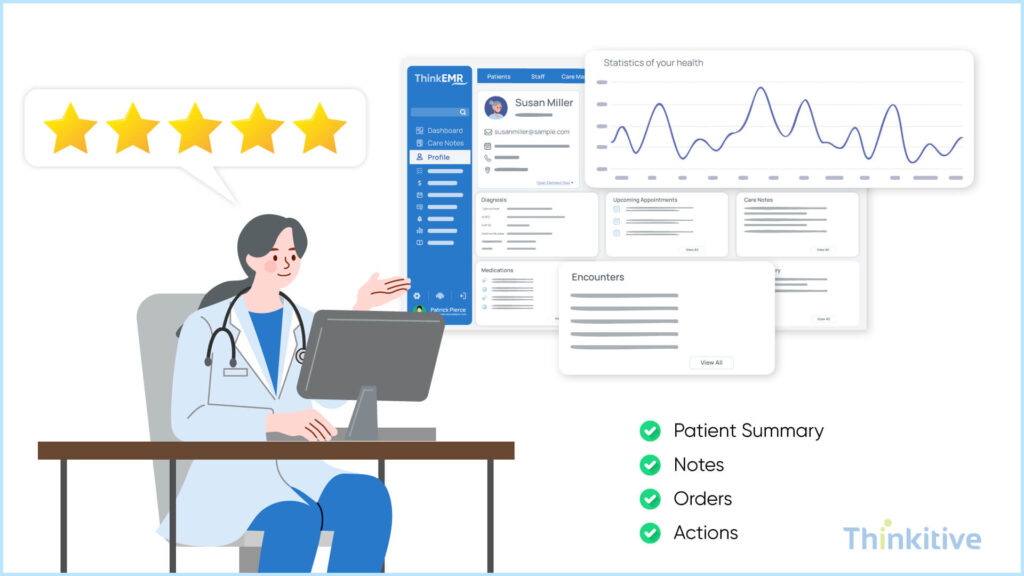
EHR usability is directly related to the EHR user experience; the better the usability of the software, the better the user experience while using the software. So, if you’re planning to enhance the EHR user experience, then reduce the interaction friction between different workflows of the software.
Currently, the problem that many providers face is that to even perform a simple task, providers have to switch between different screens. By consolidating related tasks into single views or on a single screen, you can not only reduce clicks in EHR but also take the first steps to streamline EHR documentation and reduce fatigue.
Design also plays a crucial role in EHR usability and user experience. You see, by allowing shallow navigation paths to the clinical workflows, navigating between different features in the EHR becomes very easy and understandable.
One of the best things that you can adopt for this is by improving the visual hierarchy for the user. For instance, when the provider is able to see important information at first in the software, the interaction with the software is minimized, and the accessibility of healthcare information becomes enhanced.
Another aspect of EHR user experience that you need to focus on along with visual hierarchy is layout consistency. When the layout becomes familiar to the user and coupling this with the predictable interaction patterns makes the using of the software very easy.
So next time you want to improve EHR usability, remember to keep consistency in layout and use predictable interaction patterns for easy navigation and elevated EHR user experience.
Training & Support: The Core of Improving Efficiency
Download GuideStep 5: Train Users & Continuously Optimize
If you are thinking of adopting a custom EHR solution, something that you must know is that without proper training and support in the EHR usability, every feature is more or less useless. This is because if your staff doesn’t know how to use the software properly, then how will they be able to effectively use it?
In fact, it will only lead to more frustration and burnout, leading to provider dissatisfaction and usability issues. That is why you should offer a comprehensive and ongoing training session to all your staff. Creating super users who are extremely efficient in using it can be a great initiative to provide peer-to-peer support and workflows to the users in your organization.
However, it doesn’t end here; you have to create a feedback loop to identify pain points that the users are facing. On the basis of that, you have to make continuous improvements, giving you an edge in using the software better and with greater efficiency.
Also, if possible, analyze the usage patterns of your custom EHR to identify workflows and screens. When doing this, identify the contributing factors that increase the number of clicks. This is one of the best practices to understand the usability and know if the clicks are required there or not.
Step 6: Optimize the Technical Environment
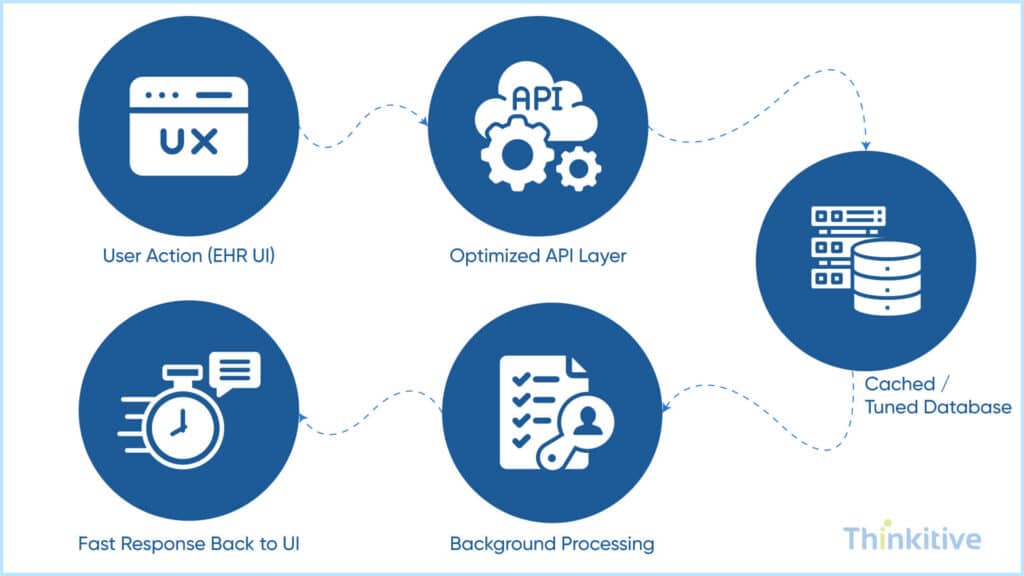
While upgrading your software is something that you can do, along with the software, what you need to focus on is the hardware. With widescreen monitors and faster devices, the problems of switching between multiple tabs and screens can be easily solved.
Also, with upgraded hardware, the software runs smoothly without interruptions. One of the finest examples of this is the use of outdated computers and operating systems in hospitals and clinics. This slows down the system significantly and can impact the workflows in ways that you cannot even imagine. In fact, some of us might have even been there where the computer doesn’t keep up with the speed we humans, where it should be the other way around.
Some of the performance issues that you must consider are server capacity, network bandwidth, etc. These issues contribute to extra clicks every time, and you, at times, find yourself stuck in a loop that just won’t break.
Step-by-Step Custom EHR Development Roadmap Guide
Download GuideConclusion
Poor EHR usability has become a growing concern for many healthcare providers across the United States. This has significantly reduced their clinical workflow efficiency, leading to more fatigue, burnout, and frustrations.
This is the major reason why many healthcare organizations have started to switch to custom EHR solutions and use them to solve their “too many clicks” problems in the software. This can lead to less fatigue and make the workflows more efficient, leading to less burnout and higher performance efficiency.
However, while you’re on to this, you also need to have an understanding of its cost breakdown, right? So, read our blog – Custom EMR Development: Complete Cost Breakdown, to understand the costing of custom EHR better.
Having said that, the benefits of a custom EHR solution don’t end there. EHR customization can benefit a healthcare organization in various ways, only if they are able to identify the problem.
Looking to improve EHR usability and reduce documentation fatigue? Partner with an experienced EHR development company to build a customizable EHR that fits your clinical workflows and enhances the user experience.
Frequently Asked Questions
Click fatigue is primarily caused by poor EHR usability design that prioritizes system logic over clinical logic. Most off-the-shelf EHRs are built to serve multiple specialties and compliance needs, which results in:
- Overloaded screens with irrelevant fields
- Linear, step-heavy documentation flows
- Redundant confirmations and navigation clicks
- Separate modules for clinical, billing, and reporting tasks
When clinicians must click through screens that don’t match real patient workflows, clinical workflow efficiency drops and frustration compounds. The root issue isn’t user behavior—it’s misaligned design and insufficient EHR usability optimization.
EHR usability optimization has a measurable impact on physician burnout because documentation time is one of the strongest burnout drivers. Poor EHR user experience leads to:
- Longer after-hours charting (“pajama time”)
- Increased cognitive load during patient visits
- Frequent context switching and interruptions
Optimized EHR usability reduces unnecessary clicks, shortens documentation time, and allows clinicians to focus on patient care instead of screens. Practices that improve medical software efficiency consistently report higher clinician satisfaction, lower turnover, and better care continuity.
The most effective strategies focus on aligning the system with how clinicians actually work. Key approaches include:
- Role-based interfaces that show only relevant fields
- Specialty-specific templates instead of generic forms
- Smart defaults and auto-population for repeat data
- Single-screen task completion where possible
- Keyboard shortcuts and voice-enabled inputs
These strategies are core to how to reduce clicks in your EHR system without compromising data quality or compliance. The goal is fewer actions, fewer decisions, and smoother task flow.
AI and ambient listening tools can significantly reduce—but not fully eliminate—manual data entry. When implemented correctly, they support:
- Real-time clinical note generation
- Automated capture of structured data from conversations
- Reduced typing and post-visit documentation
However, their effectiveness depends on integration quality and workflow design. Without strong EHR usability optimization, AI tools can actually add friction. When paired with thoughtful steps to streamline EHR documentation and reduce fatigue, AI becomes a powerful accelerator of clinical workflow efficiency.
Custom EHR software development addresses usability issues by designing around real workflows instead of forcing workflows to fit the software. Unlike off-the-shelf systems, custom EHRs enable:
- Click paths designed per specialty and care setting
- Fewer screens and fewer mandatory fields
- Seamless integration between clinical, billing, and reporting tasks
- Continuous UX improvements based on real user feedback
This results in superior EHR usability, better EHR user experience, and long-term gains in medical software efficiency—not just surface-level UI improvements.
To objectively measure EHR user experience and efficiency, clinics should track both usability and workflow metrics, such as:
- Average clicks per common clinical task
- Time spent on documentation per patient
- After-hours EHR usage per clinician
- Task completion time (orders, notes, referrals)
- Error rates and correction frequency
These metrics reveal whether efforts to reduce clicks in EHR and improve clinical workflow efficiency are actually working. Strong data here also helps justify investments in usability optimization or custom EHR development.


