How to Build an EHR with Advanced Scheduling & Calendar

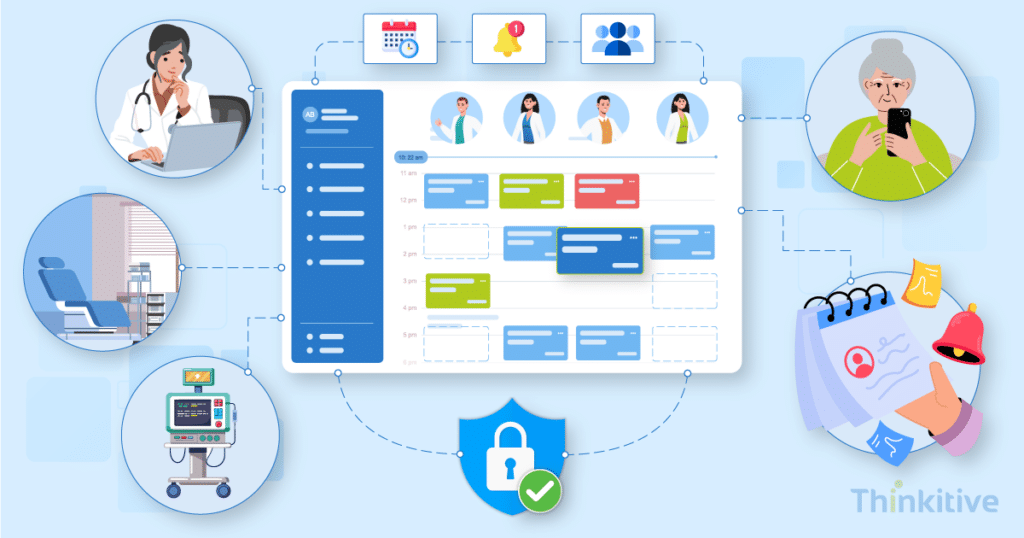
A systematic review of 105 studies found that the national average healthcare appointment no-show rate is approximately 23%.
This points to one of the most pressing concerns in the healthcare industry. You see, while handling operations, healthcare practices constantly face the challenge of managing appointments. And losing 23% of the total appointments can literally cost you almost a quarter of your business.
However, looking at the usage patterns of patients, they still rely heavily on traditional scheduling methods. For instance, a recent U.S. survey found that 72.1% of appointments scheduled were made through phone calls, and only 34.1% of the total population has used online patient portals.
Looking for a way to reduce no-shows and give patients more control of their health, healthcare providers started building EHR software with advanced scheduling modules that would coordinate provider availability, appointment types, locations, resources, patient preferences, cancellations, reminders, and scheduling in a synchronized clinical workflow.
Building an EHR scheduling module and getting it right is crucial for healthcare practices. It can not only improve operational efficiency but also create a smoother experience for both providers and patients.
But the main question that arises here is: ‘How to build advanced scheduling in EHR?’
On that note, let this blog be your guide to building EHR scheduling modules and EHR calendar integration best practices.
So, without further ado, let’s get started.
See how Advanced Scheduling and Calendar Would Work in Your Own EHR –
Watch Free DemoWhat Does an EHR Scheduling Module Need to Do?
Building an EHR scheduling module must be the connecting link between various aspects of care delivery. Its basic function is to coordinate providers, resources, appointments, patient availability, and communications in real time, and to synchronize clinical workflows with the appointments booked.
Here are some of the major capabilities of an advanced EHR scheduling module:
- Multi-provider and multi-resource booking: Coordinate appointments requiring multiple participants or assets for providers, rooms, equipment, and other resources.
- Appointment types with distinct durations and booking rules: The EHR appointment scheduling module must support different durations, eligibility requirements, buffers, and scheduling constraints for different appointment types.
- Recurring and series appointments: The module must have the ability to schedule recurring patient visits such as weekly therapy, physical therapy sessions, follow-up care, etc., without creating each appointment manually.
- Waitlist management and cancellation backfill: The system should automatically identify eligible patients and fill newly available slots when appointments are canceled.
- Patient self-scheduling against exposed availability: The system should allow patients to book eligible appointment types and time slots based on the provider availability and predefined scheduling rules.
- Automated reminders across SMS, email, and voice: You should be able to send confirmations, reminders, rescheduling prompts, and cancellation notifications through multiple communication channels like SMS and email.
One of the best ways to keep track of your features and functionalities and how well they are functioning is through reporting. Read our guide on building a CMS quality reporting feature in EHR.
How Do You Build a Scheduling Module Into an EHR?
Building an EHR scheduling module requires you to define scheduling rules, model availability, generate bookable slots, manage appointments, and automate patient communication and follow workflows. Now, when you combine and synchronize all these in a single workflow into your EHR system, you build an EHR scheduling module.
The six stages involved in this are:
| Build Stage | What You Need to Implement |
| 1. Define appointment types and rules | Configure appointment types, durations, buffer times, provider eligibility, booking windows, and cancellation rules. |
| 2. Model provider and resource availability | Capture working hours, breaks, holidays, locations, rooms, equipment, and other scheduling constraints. |
| 3. Generate slots and detect conflicts | Turn availability into bookable slots while preventing overlaps, invalid bookings, and resource conflicts. |
| 4. Build appointment workflows | Support booking, rescheduling, cancellation, and completion while keeping calendars and EHR records synchronized. |
| 5. Expose availability for booking | Make eligible slots available through patient portals, self-scheduling, referrals, call centers, and other channels. |
| 6. Automate follow-up and backfill | Add reminders, waitlists, cancellation backfill, and no-show handling to keep schedules optimized. |
Calendar Integration and Availability Management
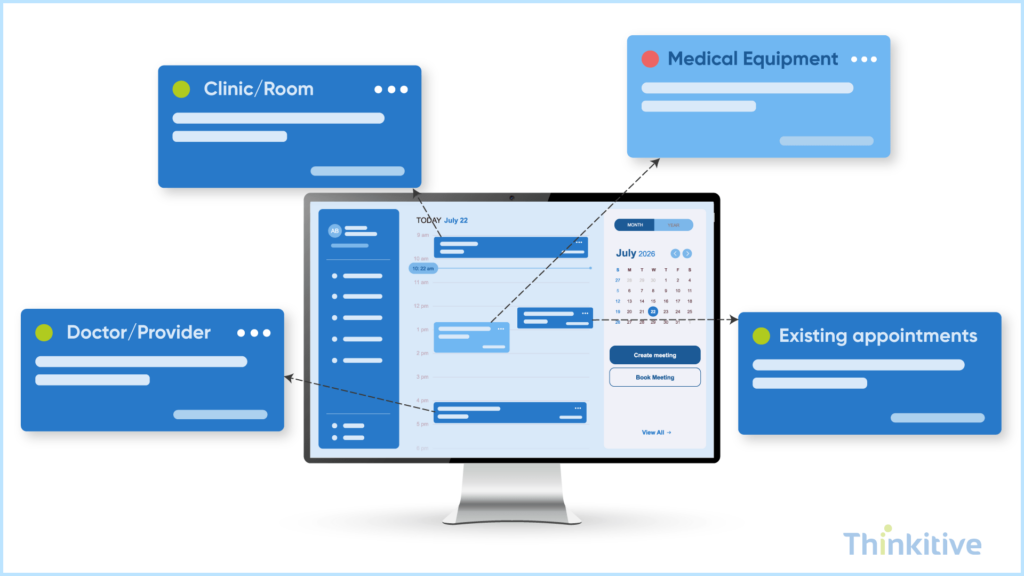
An EHR calendar should provide a real-time view of bookable clinical capacity, combining provider, location, equipment, and appointment data while keeping the EHR as the source of truth.
Model Availability With FHIR Resources
FHIR provides a solid foundation for scheduling data, and it can form the base for building EHR scheduling modules.
- Schedule: Defines when a provider, location, or other scheduling actor is available.
- Slot: Represents a specific time period that can be booked for appointments.
- Appointment: It represents the actual scheduled interaction between the patient and provider.
With these resources consistently used, you can book the scheduling module exchange availability and appointment data with other healthcare systems.
Calculate Availability Across Providers and Resources
Typically, the availability of a time slot is calculated from the provider’s healthcare calendar integration. But the scheduling engine should also consider other factors like location, equipment, duration, and existing bookings before calculating availability.
Let’s try to understand this with an example. For instance, an imaging appointment should only appear as available when the provider, imaging room, and required equipment are available for the entire appointment duration.
Synchronize External Calendars Without Creating a Second Source of Truth
External calendars can be useful for displaying provider commitments and preventing conflicts. However, they should not become a parallel scheduling database. That is why your EHR should remain the authoritative source for clinical appointments, while integrations synchronize relevant availability and events according to the defined rules.
Prevent Double-Booking When Availability Changes
There are several factors that can change the availability throughout the day. Some of the most common factors for this are cancellations, walk-ins, schedule changes, or provider availability updates. Here, the booking engine should perform a final availability and conflict check at the time of booking, rather than solely relying on previously generated slots. This prevents users from successfully booking the same provider at the same time.
Keep Control of Your Patient Flow With Your Own Scheduling & Calendar Module –
Get Free Consultation
Reducing No-Shows and Improving Utilization
An effective EHR appointment scheduling system is not just limited to filling appointment slots alone. In fact, it should help in reducing avoidable no-shows, recovering canceled capacity, and continuously improving how clinical resources are utilized.
Here is how you can reduce no-shows and improve utilization with these intelligent EHR scheduling features:
- Automated reminders and confirmation: Design the reminder workflows in such a manner that they communicate with the patient across SMS, email, and voice. To make it more personalized, you can include appointment details, confirmation requests, cancellation or rescheduling options, and follow-ups closer to the appointment time. The system can adjust reminder timing based on appointment type, patient preferences, or historical behavior.
- Intelligent Waitlist Backfill: When an appointment is cancelled, the scheduling engine should intelligently identify suitable patients on the waitlist and offer the newly available slot automatically. For matching, you can train the system to consider appointment types, provider, location, timing, and patient eligibility.
- Use No-Show Prediction to Inform Scheduling: You can also implement a no-show prediction system that can use historical appointment data to identify patients or appointments types with a higher chances of no-show. You can later use these predictions to inform reminder intensity, waitlist prioritization, and carefully defined overbooking limits.
- Measure and Optimize Scheduling Performance: Scheduling rules should be continuously evaluated using metrics such as fill rate, appointment lead time, cancellation rate, no-show rate, slot utilization, and provider utilization. These metrics can help you identify underused capacity and refine scheduling rules over time.
Compliance Requirements for Scheduling Data
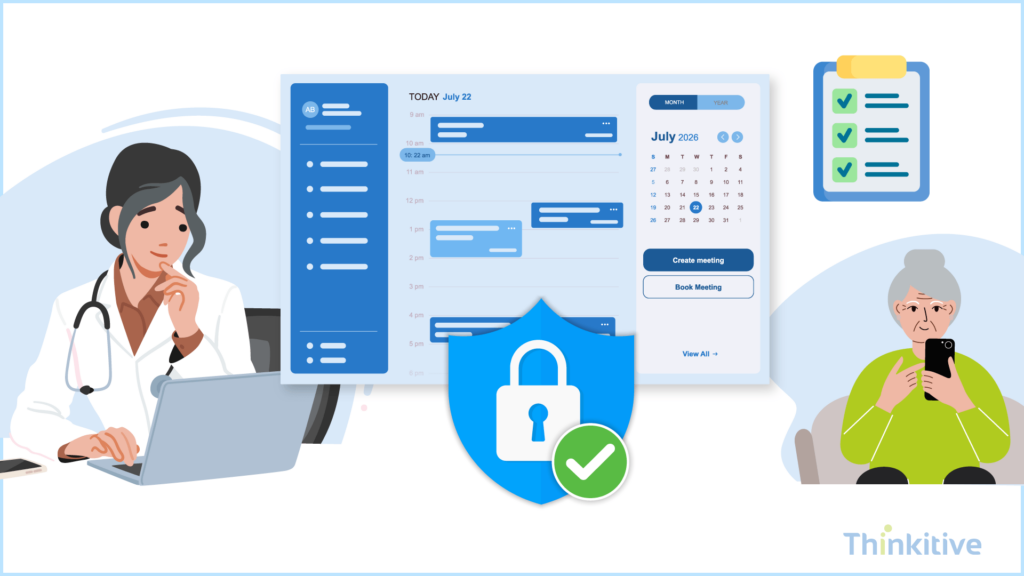
When building anything in your EHR system, you must keep in mind protecting patient information by restricting access, disclosure of information, and applying appropriate safeguards to automate patient communication.
Here are some considerations that you must follow:
- Treat appointment information as PHI: The appointment records usually contain identifiable information about a patient’s health and services that he’s receiving. That is why it should be handled within the EHR’s broader PHI/ePHI privacy and security controls. However, these scheduling modules should apply appropriate access controls, encryption, authentication, and audit mechanisms rather than just relying on calendar data as administrative information. Furthermore, HIPAA’s Security Rule requires that you have technical control and restrict ePHI access to unauthorized users and mechanisms to record and examine system activity.
- Apply Minimum-Necessary Rules to Reminders: When setting up automated SMS, email, and voice reminders, remember that it should only disclose the information that is necessary for the purpose of the communication that is to remind the patient about the appointment. For instance, when sending the reminder, it may identify the provider, appointment date, and time without unnecessarily revealing a sensitive diagnosis or reason for the patient’s visit. HIPAA requires covered entities to take reasonable steps to limit certain uses and disclosures of PHI to the minimum necessary.
- Account for TCPA Requirements for Automated Communications: For US healthcare practices, automated calls and text messages must be designed around applicable TCPA requirements and FCC rules. The FCC has established specific conditions for certain healthcare-related calls and texts, including appointment confirmations and reminders like sending messages to the number provided by the patient, keeping them concise, avoiding marketing content, and providing an easy opt-out mechanism.
- Maintain Audit Trails and Role-Based Access: Maintain detailed logs of your scheduling system of relevant activity, which should include who created the appointment, who viewed it, modified it, canceled it, or simply interacted with scheduling records, with respect to your practice’s compliance and risk requirements. Moreover, access to this scheduling module should be role-based so that permission is given as per their role and responsibility.
NOTE: HIPAA’s Security and Privacy Rules contain the access-control and audit requirements, while HITECH established and strengthened the broader HIPAA enforcement and audit framework.
Get Free Checklist on Security Measures on Scheduling Features –
Download ChecklistConclusion
Building an EHR scheduling module is like building one of the core components where small workflow gaps can quickly become operational problems. A missed update, unfilled cancellation, conflicting resource, or poorly timed reminder can impact both the patient experience and provider capacity.
That is why, when building an EHR scheduling module, it should be built around how appointments actually move through your practice, right from availability and booking to reminders, cancellations, check-ins, and follow-ups.
Remember, you have to build a scheduling system that continuously keeps clinical capacity, patient demand, and your EHR workflows aligned with one another. So, what are you waiting for? Learn how to create EHR software with a scheduling module for your practice from our EHR expert.
Frequently Asked Questions
An EHR scheduling module is the part of an electronic health record system that manages EHR appointment scheduling, provider availability, appointment types, resources, bookings, cancellations, reminders, and related workflows. An advanced module can also support patient self-scheduling, waitlists, recurring appointments, and multi-resource booking while keeping scheduling data connected to the patient’s EHR record.
Healthcare organizations typically build an EHR scheduling module by defining appointment types and scheduling rules, modeling provider and resource availability, developing a slot-generation and conflict-detection engine, and implementing booking and cancellation workflows. The module can then expose eligible availability through patient portals and referral channels and add automated reminders, waitlist management, and no-show handling.
Core EHR scheduling features include multi-provider and multi-resource booking, configurable appointment types and durations, recurring appointments, real-time availability, conflict detection, rescheduling and cancellation, patient self-scheduling, waitlist management, automated reminders, and no-show tracking. More advanced systems can also include intelligent slot recommendations, utilization analytics, and AI-assisted scheduling.
The primary FHIR resources used for healthcare scheduling are Schedule, Slot, and Appointment. Schedule represents a container for potentially available time, Slot represents a specific bookable period, and Appointment represents the actual healthcare booking. FHIR also defines AppointmentResponse for responses to appointment requests.
Patient self-scheduling allows patients to view eligible appointment slots and book them without staff intervention. The EHR exposes availability based on factors such as appointment type, provider, location, duration, and booking rules. Once a patient selects a valid slot, the system performs a final availability check, creates the appointment, updates the relevant calendars, and triggers confirmation and reminder workflows.
EHR scheduling can reduce no-shows through automated appointment confirmations and reminders delivered by channels such as SMS, email, and voice. Systems can also use waitlists to backfill cancellations and analyze historical no-show patterns to adjust reminder timing or other scheduling rules. Appointment reminders are permitted under HIPAA as part of treatment-related communications, while organizations should still limit unnecessary information disclosed in those communications.
EHR calendar integration best practices include keeping the EHR as the authoritative source for clinical appointments, synchronizing external calendars without creating a parallel source of truth, performing real-time conflict checks, and accounting for provider, location, and equipment availability together. A robust scheduling module architecture for healthcare should also support FHIR-based interoperability, auditability, role-based access, and reliable synchronization when availability changes.
Automated appointment reminders should be designed around applicable HIPAA privacy and security requirements and, where relevant, U.S. rules governing automated calls and texts. HIPAA permits appointment reminders without a separate authorization, but organizations should use reasonable safeguards and limit the information disclosed to what is appropriate for the communication. For SMS and voice workflows, organizations should also evaluate applicable consent, identification, frequency, and opt-out requirements before deployment.
AI can improve healthcare scheduling by recommending suitable appointment slots, predicting potential no-shows, identifying patients who may benefit from cancellation backfill, and helping optimize provider and resource utilization. AI can also analyze historical scheduling patterns to identify bottlenecks and suggest adjustments to appointment durations, reminder strategies, or scheduling rules. These capabilities should complement—not replace—explicit scheduling rules and operational controls.


