Solving Performance Issues in High-Volume Custom EHR Systems

The healthcare sector is one of those sectors that is under a significant burden and still manages to keep the world healthy.
You see, everybody knows about the WHO reports that estimate that the world will need almost 11 million healthcare workers by 2030, to support the increasing deficits. This, coupled with the rising costs of healthcare, makes the situation seem to be hanging by a thread.
Moreover, what adds to this understaffed healthcare industry is the growing administrative burden and increasing burnout rates for providers. For instance, physicians in the United States spend around 16.6% to 24% of their working hours on completing administrative tasks. And those who are not able to do it have to do it in their free time, hence the term ‘Pajama Times’.
And talking about pajama time, almost 56.5% of physicians experience burnout from their work.
However, as they say, every cloud has a silver lining; the tides in the healthcare industry are slowly shifting in favor of healthcare practices. You see, with the arrival of advanced technology and practices, understanding how customized solutions can optimize their performance while lowering the burden, many practices are looking for EHR and EMR development to solve performance issues in high-volume EHR systems.
But a custom EHR can be used for EHR performance optimization, so you might ask here, ‘How can a custom EHR improve practice performance and what if the system itself breaks down?’
Well, let’s see exactly that in this blog below and uncover the intricacies of how to improve EHR system performance that can enhance your practice performance.
So, without further ado, let’s get started!
Assess Your EHR System for AI Readiness
Get Free AssessmentWhere Performance Breaks Down in High-Volume EHR Systems
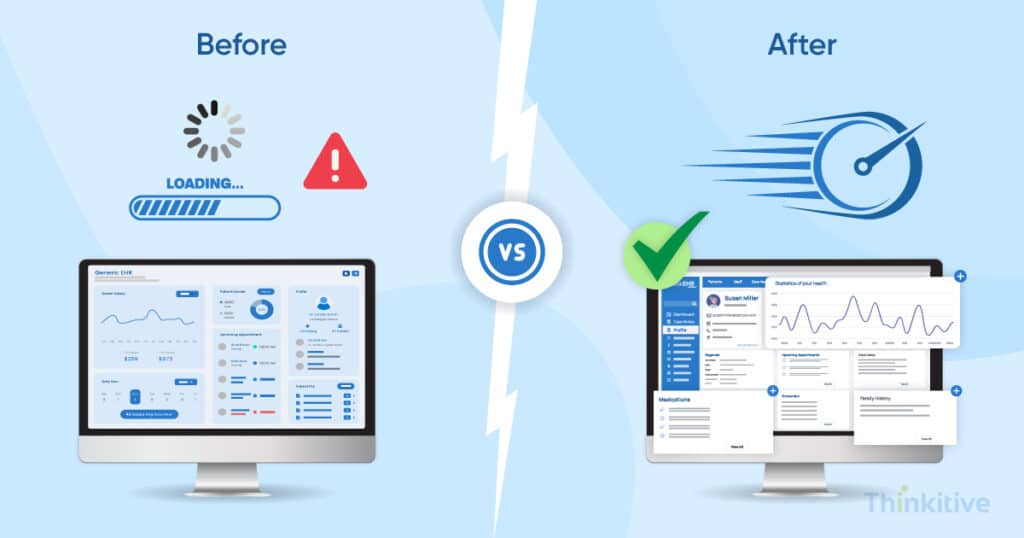
Before getting into the intricacies of solving performance issues in custom EHR, let’s first try to understand why these software systems break down. First things first, one of the major problems comes in the form of lag or slow systems, especially in high-volume environments. This latency is caused by large and rapidly growing patient databases coupled with multiple logins at the same time, and just by coincidence, it happens to be the peak clinical hours of your practice.
I mean, let me explain, everything that could go wrong at the point of care can go wrong on a normal day. And this chain of events can be initiated by a simple software malfunction or a slowdown.
So, at the peak time, you are seeing that one patient has lab orders pending, the other is concerned about billing, one is requesting a refill, and you are struck with a frozen screen. One of the common reasons for this is the architecture of these software systems. Due to its monolithic nature, its systems are tightly compiled, where the room for flexibility is minimal.
In such cases, it is natural for the software to freeze when the volume increases with load on its features and functionalities.
And since healthcare practices were unable to rely on these systems, they started to shift to custom EHR software for performance.
Furthermore, performance challenges are something that can be fixed in updates of maintenance. Some challenges can even disrupt your development process and knowing about them can be a good start for futureproofing your system. On that note, read the blog – Common Challenges in Custom EHR Development and How to Overcome Them.
Architectural Foundations for Healthcare Software Scalability
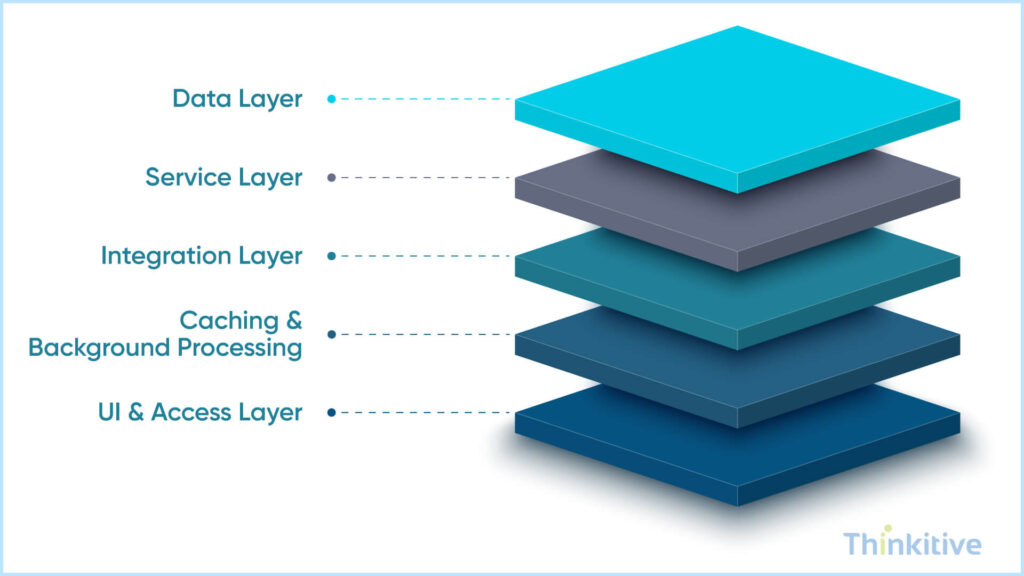
EHR system optimization with custom healthcare software systems is much easier. You see, modern-day healthcare software systems are built on modular architecture. In simple words, every component of the software is built independently of others and then brought together to work in perfect synergy.
In such cases, when the volume increases on one particular component of the software, the other one remains unaffected.
This architectural approach is also called a microservices-based approach, and it is one of the best ways to deal with high-volume situations. You see, it not only isolates failures and improves resilience, which makes your software robust and capable of handling extreme pressure.
And given the ever-increasing volume of data, the cloud-native infrastructure of the custom EHR gives it the necessary elasticity or flexibility that helps in scaling and handling high-volume data pressures.
However, something where most of the projects go wrong is database partitioning and sharding strategies. You see, databases have a huge role to play in resilience and EHR system performance. With the right strategy in place, this can improve the performance of your system by a huge margin.
Know the Functions in Your Custom EHR that can be Powered by AI
Get Free ConsultationPractical Techniques to Improve EHR System Performance
Most of the performance issues in custom EHR are byproducts of physical restrictions. In such cases, you need to trick the system into working more efficiently. For instance, in high-volume EHR systems, the user interface is always in focus, and blocking it during a task can create chances of system freezing, generating frustrations, and disrupting workflows.
However, by breaking this real-time request cycle, most of the triggers can be improved. To explain, while the report is being generated in the background, the physician would be alerted with a notification and continue his work. And once the report is successfully generated, they will be notified again.
In this way, the waiting factor is removed from the screen. These techniques can be extremely useful for population health and quality reporting, PACS imaging syncs, and claims batch processing.
But this is just one of the tricks, here are some strategies that you can implement:
| Performance Fix | What It Means | How It Makes the EHR Faster | Why Clinicians & Staff Care |
| Background processing for heavy tasks | Big tasks like reports or imaging are done quietly in the background | The system doesn’t freeze or slow down when someone clicks a button | Doctors and nurses can keep working without waiting for screens to load |
| Smart storage of frequently used data | Common information is saved so the system doesn’t fetch it again and again | Reduces unnecessary system work and speeds up page loading | Patient charts open faster, even during busy clinic hours |
| Modern data sharing using FHIR APIs | Systems talk to each other using modern, lightweight methods | Less data is moved around, so everything runs smoother | Information arrives on time without slowing down patient care |
| Avoiding repeated work across EHR features | The system avoids recalculating or reloading the same data in multiple places | Saves processing power and prevents slowdowns | Fewer system delays when multiple teams use the EHR at once |
| Step-by-step performance improvements | Changes are made gradually without shutting the system down | Problems can be fixed safely without causing downtime | Care delivery continues without interruptions or retraining |
The AI Advantage in EHR Performance Optimization
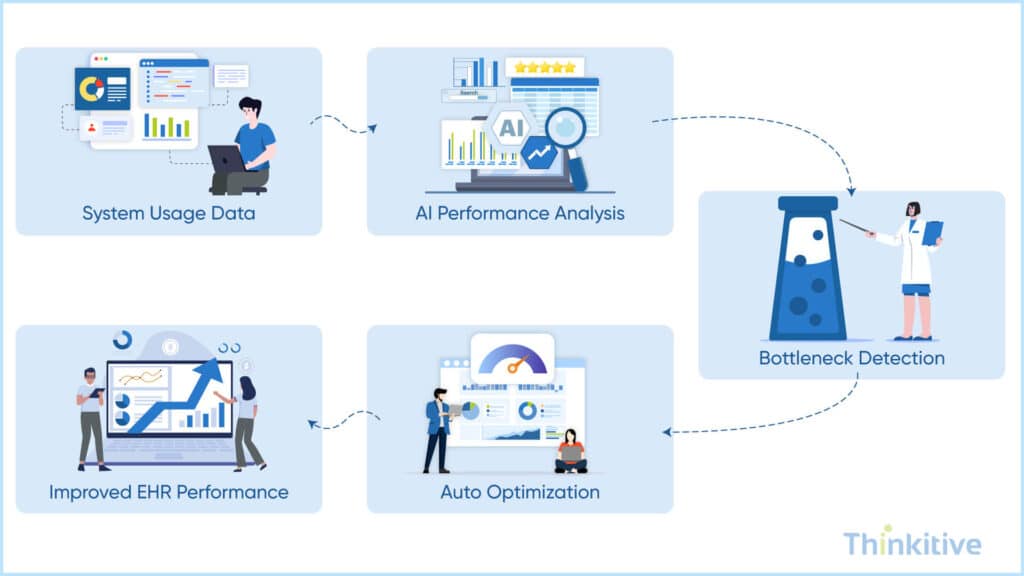
Ever since the introduction of Artificial Intelligence, it has always been used for solving performance issues in high-volume EHR systems. You see, to understand the advantage of AI, you have to implement it. And this is exactly what many healthcare practices are doing with custom EHR software development.
Let’s have a look at some of the examples that can be used to improve performance in high-volume EHR systems.
The very first thing that sticks in our mind is predictive performance analytics. You see, by understanding the daily usage and other intricacies of the internal system network, your system itself can anticipate peak system load and adjust itself in that manner.
Furthermore, when you have an AI system in your EHR, you should use it for detecting anomalies. These anomalies can enhance your system immensely by helping you identify early signs of things that affect the performance of your system.
And if you’re able to make this even smarter, your AI can even intelligently allocate the resources to real-time system behavior. There are certain things that you indeed need to address in this, but if done correctly, it can make your system faster, smarter, and better.
The way AI helps in EHR system optimization is by being embedded in the workflows of the system. You see, when the core of workflow—that is, documentation—is assisted by AI, it creates minimal friction and puts less strain on the system. This way, the process of entire care deliveries gets faster without influencing the clinical decision-making. In short, with AI, you can create a win-win situation easily.
Testing, Monitoring & Continuous Performance Improvement
Performance improvement is not a quick-fix problem; it is a process where you have to continuously test, monitor the progress, and make changes till the systems are running. Especially in EHR software development. You see, until your system is not like the way you want it, test it and make it even better.
Here are some aspects that can help you in this process:
- Load & Stress Testing: While many vendors test for load, they forget stress. But the software should be tested for both. Test how the EHR system performs under peak times and how it performs when stretched beyond its limit. It gives you a better idea about the sustainability of your system.
- Identifying System Breaking Point: With AI, this identification process can become much easier. However, you should keep an eye on the system functions regularly. It gives you insights about when your EHR system slows down or fails. This gives you enough time to fix the issues before escalating during patient care.
- Performance Monitoring Reports: It is natural for any system to increase in features and data. As more patients, users, and features are added to your EHR, it should be monitored to ensure that, despite this, the system remains fast, reliable, and user-friendly over time.
- Set Benchmarking Metrics: Since you will be tracking everything, set some benchmarks for almost every aspect of your system. It is one of the best ways to ensure that the system is always fast, reliable, and clinician-friendly at all times, and there is always something to look forward to.
Performance & Scalability EHR Architecture Guide for High-Volume Practice
Download GuideConclusion: Building Performance-First Custom EHR Systems
Believe it or not, but healthcare software scalability is the foundation of safe and efficient digital care practices. Furthermore, as you scale, the performance should improve and degrade.
If you think your system is slow, then trust me, it is already slow. And the more you delay it, the closer you get to system failures becoming a norm. So, align the architecture, infrastructure, and monitoring cycles and make EHR performance optimization a habit.
On that note, I hope I have answered all your questions, and if you want to know how we can make your EHR system better, then get your first free consultation with our custom EHR expert today.

Frequently Asked Questions
Latency in high-volume EHR systems is rarely caused by a single issue. It typically stems from a combination of inefficient database queries, synchronous processing of heavy workflows (like chart loading or reporting), poorly optimized APIs, and infrastructure bottlenecks. Root cause analysis involves end-to-end performance tracing—tracking how requests move through the UI, application layer, integrations, and database—while correlating system metrics with real clinician workflows. This helps isolate whether delays are user-facing, backend-driven, or integration-related.
For long-term healthcare software scalability, modern custom EHR systems rely on modular, service-oriented architectures. Patterns such as microservices, event-driven processing, and horizontal scaling allow systems to grow with patient volume and feature complexity. These approaches decouple core clinical workflows from reporting, analytics, and integrations—preventing performance degradation as data and usage increase. Designing scalability early ensures the EHR remains responsive even during peak clinical hours.
Slow EHR systems force clinicians to spend more time waiting, clicking, and re-entering data—directly contributing to frustration and burnout. Performance optimization reduces screen load times, improves chart navigation, and ensures real-time access to patient data. This not only improves clinician satisfaction but also enhances patient safety by reducing documentation errors, missed alerts, and delays in clinical decision-making.
Yes. AI-driven monitoring tools analyze system behavior patterns in real time to detect anomalies before users experience slowdowns. These tools can predict spikes in resource usage, identify degrading APIs, and flag unusual query behavior. By proactively alerting teams—or even triggering automated scaling—AI-driven monitoring helps prevent performance issues rather than reacting to outages after clinicians are already impacted.
Database sharding distributes patient data across multiple database instances, reducing contention and improving query response times as volume grows. Caching complements this by storing frequently accessed data—such as patient demographics or appointment schedules—in memory for faster retrieval. Together, sharding and caching significantly improve EHR system performance while maintaining data consistency and reliability in high-volume environments.
A slow EHR system can indirectly increase compliance risks. Timeouts, failed transactions, and delayed writes may lead to incomplete records, duplicate entries, or improper access retries. These issues threaten data integrity and can complicate audit trails required under HIPAA. Performance-optimized systems reduce these risks by ensuring reliable data processing, accurate logging, and consistent access controls—even during peak usage.


