Must-Have Features When You Build Your Own EHR

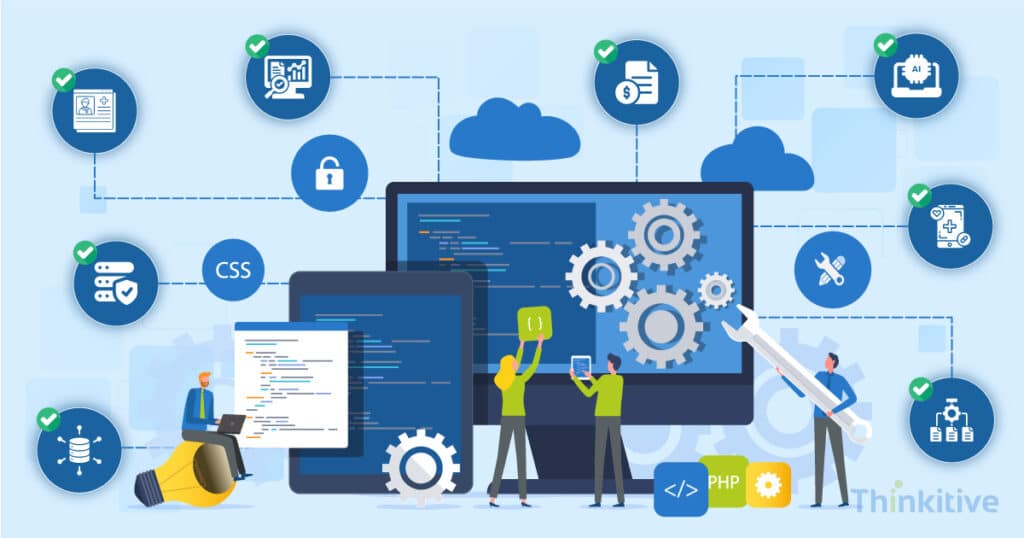
The modern-day need for healthcare practices is pushing healthcare practices to make a shift from traditional healthcare software to custom software systems. And the most in-demand is the EHR software systems.
You see, most of the practices still use legacy healthcare systems, and that too off-the-shelf software systems. Now, the problem with these legacy off-the-shelf software systems is that they come with pre-defined features and functionalities.
Due to this, many practices are forced to pay for features that they do not even need. Moreover, some of the features that they need are either absent or require a separate subscription to be included in your system.
The customization, rigidity, and scalability needs have made healthcare practices build their own EHR systems. This way, they can not only build an interoperable system but also make it AI-powered so that workflow efficiency increases.
However, the major advantage comes in the form of increased patient engagement. Practices building their own EHRs being one of the rising trends in healthcare, the most confusing part of this has been deciding on which EHR features to build.
And this has been a consistent pattern for most of the practices that are trying to build their own EHR. After developing over 50+ EHRs across multiple care settings such as ambulatory, hospitals, and specialty care, some of the most common questions that we come across are, ‘What features should an EHR have when building from scratch?’ or ‘How to prioritize EHR features during development?’
Healthcare practices are not wrong to raise these questions; after all, they don’t know the technical aspects and the right features that they need.
On that note, to help you with features for building an EHR, let this blog be your guide to EHR feature requirements and the must-have features to build your EHR.
So, without further ado, let’s get started!
Detailed Analysis of Your System for EHR Development –
Get Free Assessment
Must-Have EHR Features at a Glance
Before diving into the detailed feature categories, here’s a quick overview of the must-have EHR features every modern healthcare organization should consider when building a custom EHR. The table below summarizes each feature, its purpose, and why it’s essential for a scalable, future-ready platform.
| Feature | What It Does | Why It’s Must-Have |
| Clinical Documentation | Captures patient encounters, notes, diagnoses, vitals, and medical history. | Improves care quality and reduces documentation burden. |
| ePrescribing & Medication Management | Manages prescriptions, refill requests, and medication history. | Reduces medication errors and improves pharmacy coordination. |
| Appointment Scheduling | Organizes provider calendars, patient appointments, and reminders. | Improves operational efficiency and patient flow. |
| Billing & Claims Management | Supports coding, insurance verification, and claims processing. | Speeds reimbursements and improves revenue cycle performance. |
| Interoperability (HL7/FHIR) | Connects with labs, pharmacies, imaging systems, and third-party applications. | Enables secure healthcare data exchange. |
| Patient Portal | Gives patients access to records, appointments, and secure messaging. | Improves patient engagement and self-service. |
| AI-Powered Features | Automates documentation, summaries, and workflow tasks. | Reduces physician burnout and increases productivity. |
| Analytics & Reporting | Tracks clinical, operational, and financial performance. | Supports informed decision-making. |
| Security & Compliance | Protects patient data through access controls, encryption, and compliance. | Ensures regulatory compliance and data security. |
Core Clinical Features Required in Modern EHR Systems
The core clinical features of an EHR form the foundation of every healthcare workflow. From patient documentation and medication management to AI-assisted decision support, these capabilities enable providers to deliver efficient, accurate, and high-quality care. Building a strong clinical foundation also makes it easier to integrate advanced features such as interoperability, patient engagement, and analytics as your EHR evolves.
On that note, here are some of the core clinical features that you must have:
- Digital Patient Charting & Clinical Documentation: Digital charting allows healthcare providers to capture and manage patient information electronically in a structured and accessible format. On top of that, it should also support clinical notes, encounter documentation, diagnoses, vitals, histories, and process tracking in a single centralized patient record. This can help you in reducing administrative burden and improving data accuracy.
- Medication Management & ePrescribing: Medication management is another critical component of any EHR software system. This is one of the must-have features to build an EHR, which should support electronic prescribing, medication history tracking, and everything related to it, including refill, drug interaction checks, etc. This can streamline communication with pharmacies and reduce the margin of error to a minimum.
- Care Plans, Allergies & Medical History Tracking: An EHR must provide a longitudinal overview of the patient’s health. This includes chronic conditions, allergies, immunization records, family history, etc. This feature for building an EHR is crucially necessary because it allows clinicians to make informed decisions and maintain continuity of care.
- AI-Assisted Clinical Documentation & Decision Support: AI-powered features are slowly becoming essential for modern EHR systems. Some of the most anticipated features, like AI medical scribes, voice-to-text charting, automated clinical summaries, predictive alerts, and clinical decision support tools, can improve provider efficiency significantly by reducing physician burnout, minimizing documentation tasks, and enabling data-driven clinical decision-making.
When building your own EHR, you must focus on creating strong foundational features that support both clinical and operational workflows. Some of the core EHR features required for new EHR development are patient records management, appointment scheduling, billing integration, interoperability, patient portals, analytics, etc.
Workflow Automation & Interoperability Features
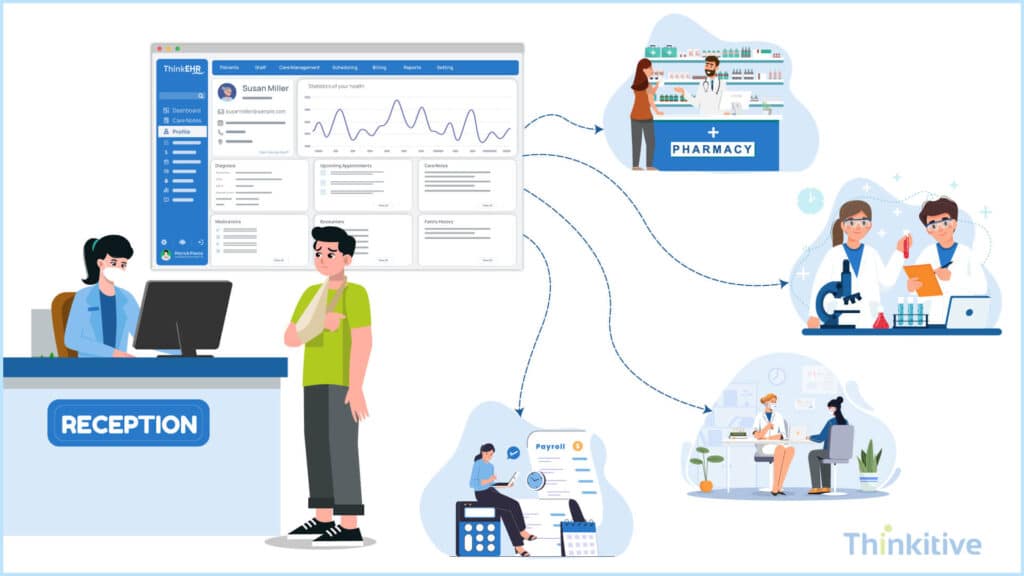
Workflow automation and interoperability features connect clinical, administrative, and financial workflows across the healthcare ecosystem. By automating repetitive tasks and enabling secure data exchange, these capabilities improve operational efficiency, reduce manual work, and support coordinated patient care.
So, on that note, let’s explore some of the workflow automation and interoperability features for building an EHR.
- Appointment Scheduling & Provider Workflow Management: The very first step in care delivery starts with scheduling. By giving your EHR system the ability to efficiently schedule and manage appointments based on provider availability, patient intake, and clinical workflows from a centralized system. It should also support automated scheduling, calendar synchronization, appointment reminders, and resource allocation. Along with that, with provider workflow management tools, you can streamline clinical operations by organizing tasks, patient queues, documentation workflows, and care coordination activities in real-time.
- Task Automation & Referral Coordination: Workflow automation is also necessary for day-to-day activities; for instance, it can help you reduce repetitive administrative tasks that slow down your operations. On top of that, your EHR must also support automated task assignments, follow-up reminders, patient notification, billing workflows, and referral management. Furthermore, Referral coordination features can also come in handy, enabling providers to securely share patient information with specialists, labs, imaging centers, and external care teams to ensure continuity of care throughout the journey.
- HL7, FHIR & API-Driven Integrations: HL7, FHIR, and APIs are the necessary standards and connectivity layers that help in achieving interoperability. These integrations help you in exchanging data with laboratories, pharmacies, imaging systems, billing platforms, wearable devices, etc.
- Real-Time Healthcare Data Exchange Across Systems: Real-time data exchange is one of the most important features for modern-day clinics and EHR systems. They enable secure, real-time sharing of clinical records, test results, prescriptions, and treatment updates across healthcare ecosystems.
Should You Hire EHR Developers In-House or Hire EHR Development Company –
Get Free ConsultationSecurity & Compliance Features
Security and compliance are foundational to every modern EHR. Beyond protecting sensitive patient data, your platform must comply with healthcare regulations and support secure access, auditability, and reliable system availability. Building these capabilities into your EHR from the beginning helps reduce security risks, maintain regulatory compliance, and establish trust among providers and patients alike.
On that note, let’s look at the essential security and compliance features every EHR should include.
- HIPAA, HITECH, ONC & 21st Century Cures Act: Modern EHR systems that you are building must align with major healthcare regulations and interoperability standards. While compliance like HIPAA and HITECH helps in ensuring protection and secure handling of data, the ONC certification and 21st Century Cures Act focus on interoperability, patient access, and data transparency. Some of the core features that your EHR needs to support are:
- Secure patient data management
- Electronic access controls
- Interoperability requirements
- Audit readiness
- Patient data sharing
- Role-Based Access Controls & Audit Trails: One of the crucial features for security is role-based access control. This ensures that only authorized users can access the information and system functions that are relevant to their responsibilities. On the other hand, this should also be supported with Audit Trail functionality, which allows you to track user logins, record access, data modifications, etc. Its basic function is to help improve accountability, support compliance investigations, and strengthen overall system security.
- Encryption & Cybersecurity Monitoring: Modern EHR systems must have strong encryption to protect patient data during storage and transmission. A few other security features are multi-factor authentication, threat monitoring, intrusion detection, and automated security alerts that help in reducing the risk of cyberattacks, ransomware, and data breaches.
- Disaster Recovery & Infrastructure Planning: The difference between a normal EHR and a reliable EHR system is that a reliable EHR system supports automated backups, cloud redundancy, a failover system, and has disaster recovery planning to ensure continuous access to patient records. Strong infrastructure planning helps you minimize downtime and maintain uninterrupted patient care during system failures or emergencies.
Administrative & Billing Features Every Custom EHR Needs
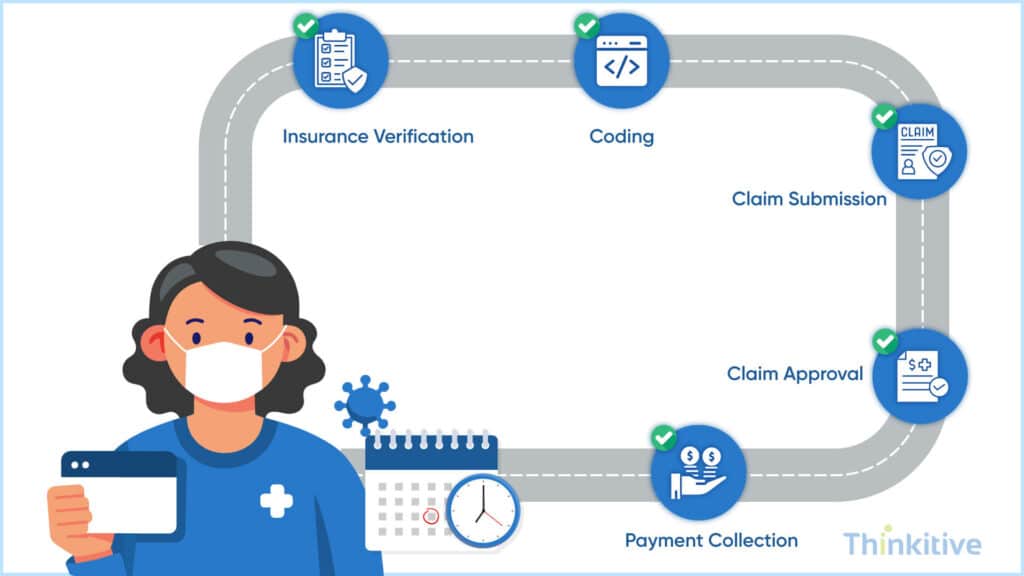
Coming to some of the most important features of building an EHR, the EHR admin and billing features give you control and bring money into your practice.
While this section covers the essential administrative and billing capabilities every EHR should include, you can explore our detailed guide on EHR Admin & Billing Features to understand billing workflows, insurance verification, claims management, and revenue cycle optimization in greater depth.
So, let’s have a look at it in detail.
- Billing, Claims Processing & Insurance Verification: Integrated billing capabilities help healthcare practices automate financial workflows directly from your EHR system. Moreover, it should support certain functionalities like medical coding, claims submission, payment tracking, denial management, and real-time insurance verification. These features can reduce manual administrative work, accelerate reimbursements, minimize claim errors, and improve overall revenue cycle efficiency.
- Revenue Cycle Visibility & Reporting Tools: Since you are building your own EHR in this modern era, your EHR system must also provide real-time visibility into financial performance and operational metrics. Reporting dashboards and analytics tools help healthcare providers track claims status, reimbursement trends, collections, denials, and revenue performance. Now, these insights are important because they support faster decision-making, give financial transparency, and help in identifying bottlenecks that may impact your revenue collection.
- Administrative Workflows for Healthcare Operations: A few other administrative workflow management features help streamline day-to-day healthcare operations beyond clinical care. These tools need to be designed carefully because they help improve operational efficiency, reduce staff workload, and create smoother experiences for both healthcare teams and patients.
Patient Engagement Features Every Modern EHR Should Include
Practices have identified that patient engagement and delivering connected healthcare experiences can not only improve care outcomes, but also the care practices. That is why they say, EHR systems today are used for more than just managing clinical data. In fact, some want the system to strengthen communication and create more personalized interactions throughout the patient journey.
This section provides an overview of patient engagement capabilities. For a deeper look at patient-centric workflows, communication tools, and engagement strategies, read our guide on EHR Features for Patient Experience.
On that note, let’s learn about a few features related to this:
- Patient Engagement & Communication Tools: Patient engagement tools such as secure messaging, telehealth access, document sharing, and care coordination help providers maintain continuous communication with patients throughout their care journey.
- Appointment Reminders & Digital Follow-Ups: Appointment reminders, medication alerts, follow-up scheduling, and post-visit communication help improve patient adherence while reducing administrative workload.
- Personalized Healthcare Experiences: Customized communication workflows and patient-specific health insights help healthcare organizations deliver more personalized experiences, improving engagement, satisfaction, and long-term patient relationships.
Why Patient Portals Are Essential for Modern EHRs
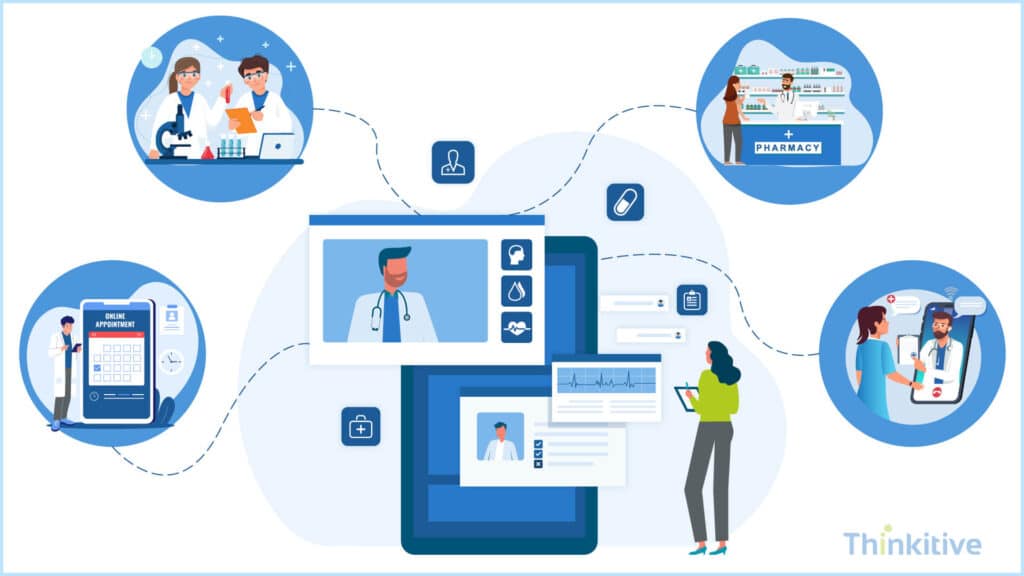
Another core component of the EHR system that you must include in your EHR feature checklist for developers is patient portals. It basically acts as the point of contact for patients and takes an active part in their care journey.
Patient portals are a core component of modern EHR systems, enabling patients to access records, communicate with providers, and manage their care digitally. For a complete guide to planning, designing, and implementing a patient portal, explore our article on Building Patient Portals in Your EHR.
On that note, let’s have a look at some of these features that you must include in your patient portal when building your own EHR.
- Secure Access to Records, Prescriptions & Test Results: Patient portals should provide secure, on-demand access to medical records, prescriptions, lab reports, treatment histories, and test results. These capabilities improve transparency, encourage patient engagement, and help patients stay informed about their care.
- Self-Service Scheduling & Messaging Capabilities: Self-service capabilities such as appointment scheduling, prescription refill requests, digital intake forms, and secure messaging make it easier for patients to manage their care while reducing administrative workload.
- Mobile-Responsive Patient Portal Experiences: Patient portals should deliver a responsive, mobile-friendly experience so patients can conveniently access healthcare services from any device. This improves accessibility, adoption, and overall patient engagement.
While these capabilities provide a high-level overview of patient portal functionality, successful implementation requires careful planning around user experience, security, integrations, and compliance.
Accessibility Features for Modern EHR Systems
Talking about the usage of mobile phones in our day-to-day lives, it makes more sense to enable care on mobile devices and give the required support as well. On that note, let’s have a look at some of the core multilingual and mobile-friendly EHR features:
- Mobile-First Workflows for Clinicians & Staff: As healthcare providers are relying more on mobile to manage patient care on the go, your EHR system should support mobile-first workflows that allow clinicians and staff to access records, document encounters, review schedules, and communicate securely from tablets to smartphones. Furthermore, it can help you in improving efficiency, reducing documentation delays, and supporting faster clinical decision-making across care settings.
- Cross-Device Accessibility Across Healthcare Environments: Talking about mobile devices and cross-device accessibility cannot be ignored, since different users use different devices. With cross-device accessibility, you can ensure that the healthcare team can securely access information from any device without disruptions. This flexibility helps in improving collaboration, operational continuity, and user experience across the healthcare ecosystem.
- Multilingual Support for Diverse Patient Populations: Multilingual Capabilities help your practice deliver more inclusive and patient-centric care. If you are including this feature, then your system should support multiple languages for patient portals, intake forms, notifications, and communication workflows to better serve diverse patient populations.
As healthcare becomes increasingly digital, accessibility features are no longer optional. To learn more about designing multilingual interfaces, responsive experiences, and mobile-first workflows, explore our detailed guide on Multilingual & Mobile-Friendly EHR Features.
AI & Advanced Analytics Features
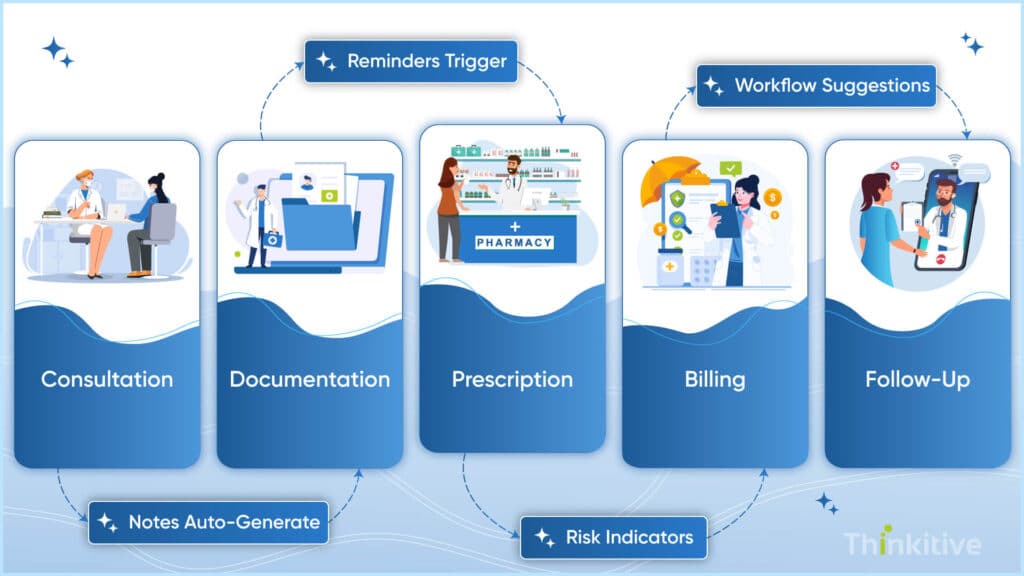
In 2026, not talking about AI is like a sin. But keeping the jokes apart, the advancement of AI and advanced analytics have made for custom EHR systems is redefining the transformation for modern healthcare. It can touch almost every aspect of your practice, right from clinical operations to patient care and even decision-making. On that note, let’s have a look at some of the AI and advanced analytics features:
- AI-Assisted Documentation & Workflow Automation: AI-powered features such as voice-to-text charting, automated clinical summaries, and intelligent workflow automation help you reduce time spent on manual documentation and repetitive tasks. This feature can simplify documentation and ensure consistency of records across ecosystems, reducing administrative burden immensely.
- Predictive Analytics & Population Health Reporting: Advanced analytics tools powered by AI can also be extremely useful for providers. It can help in the identification of trends, risks, and improve population health management. However, these features should support predictive reporting for chronic disease management, patient risk assessment, readmission analysis, and preventive care initiatives.
- Automation of Repetitive Administrative Tasks: Automation can be a great way to streamline repetitive administrative processes like appointment reminders, billing workflows, referral coordination, etc.
Essential EHR Feature Checklist
Use this checklist to evaluate whether your custom EHR includes the core features required for efficient clinical, administrative, and patient-facing workflows.
| ✓ | Feature | Included? |
| ☐ | Digital Patient Charting & Clinical Documentation | |
| ☐ | Medication Management & ePrescribing | |
| ☐ | Care Plans, Allergies & Medical History | |
| ☐ | AI-Assisted Documentation & Clinical Decision Support | |
| ☐ | Appointment Scheduling & Provider Workflow Management | |
| ☐ | Task Automation & Referral Coordination | |
| ☐ | HL7, FHIR & API-Based Interoperability | |
| ☐ | Real-Time Healthcare Data Exchange | |
| ☐ | HIPAA, HITECH & ONC Compliance | |
| ☐ | Role-Based Access Control & Audit Trails | |
| ☐ | Encryption & Cybersecurity Monitoring | |
| ☐ | Disaster Recovery & Infrastructure Planning | |
| ☐ | Billing, Claims Processing & Insurance Verification | |
| ☐ | Revenue Cycle Reporting & Analytics | |
| ☐ | Administrative Workflow Management | |
| ☐ | Patient Engagement & Communication Tools | |
| ☐ | Appointment Reminders & Digital Follow-Ups | |
| ☐ | Patient Portal Capabilities | |
| ☐ | Mobile Accessibility & Multilingual Support | |
| ☐ | AI-Powered Analytics & Workflow Automation |
How to Prioritize EHR Features During Development
When building your own EHR, it is important to prioritize features based on immediate clinical needs, operational efficiency, compliance requirements, and long-term scalability. Start with core MVP functionalities such as patient records, scheduling, clinical documentation, billing, and interoperability, while more advanced capabilities like AI, analytics, and large-scale integrations can be added gradually as your platform evolves.
Your EHR should balance usability, compliance, interoperability, and scalability from the beginning to ensure smooth adoption and future growth. Creating a practical EHR functionality checklist for your development team can also help align technical priorities with real healthcare workflows, making it easier to build a scalable, efficient, and future-ready healthcare platform.
Watch Demo to Know How Features Would Fit Your EHR System –
Book Free DemoConclusion
If you have somehow managed to scan and take away some of the most important pointers from this blog, then there is a slight chance that you might have gotten the feeling that every feature is important.
Well, for some features, that is entirely true. Features like patient portal, analytics dashboards, appointment scheduling, and integrations are necessary even to carry out your day-to-day activities.
However, if the question is how to prioritize EHR features during development, then you need interoperability features, features that simplify usability, patient engagement features of proactive participation, and AI readiness to ride the trending waves. The mix of all these features based on your needs is the best way to know the must-have features to build an EHR.
So, on that note, let this blog be your guide, and if you know which features of your practice, then talk to our EHR expert and see what features you need to build your own EHR .
Frequently Asked Questions
The most important features for building an EHR include patient records management, clinical documentation, appointment scheduling, billing, interoperability, patient portals, reporting dashboards, security controls, and workflow automation. These core capabilities create the foundation for efficient and scalable healthcare operations.
If you are wondering what features should an EHR have when building from scratch, the platform should include clinical workflows, ePrescribing, scheduling, billing integration, interoperability support, patient engagement tools, reporting, and compliance features. These are considered core EHR features required for new EHR development.
Essential EHR admin and billing features include insurance verification, claims processing, payment tracking, denial management, revenue cycle reporting, appointment management, and administrative workflow automation. These features help healthcare organizations improve operational efficiency and financial performance.
Modern EHR features for patient experience help improve communication, transparency, and patient participation in care. Features such as patient portals, secure messaging, appointment reminders, and digital follow-ups make healthcare services more accessible and convenient for patients.
Multilingual and mobile EHR features help healthcare organizations serve diverse patient populations while improving provider accessibility across multiple devices. Mobile-first workflows and multilingual patient communication tools support more inclusive, flexible, and patient-centered healthcare experiences.
Modern EHR systems should support interoperability standards such as HL7, FHIR, and API-driven integrations. These standards enable secure healthcare data exchange between EHRs, labs, pharmacies, imaging systems, telehealth platforms, and other third-party healthcare applications.
AI-assisted workflows improve EHR usability by reducing manual documentation, automating repetitive administrative tasks, and helping providers access clinical insights faster. Features like AI-powered charting, predictive analytics, and workflow automation can significantly improve operational efficiency and provider productivity.
An EHR functionality checklist for developers typically includes clinical documentation, patient records, scheduling, billing, interoperability, patient portals, reporting, security, compliance, mobile accessibility, and workflow automation. This checklist helps development teams align technical planning with healthcare operational needs.
When considering how to prioritize EHR features during development, healthcare organizations should focus first on MVP functionalities such as patient management, clinical workflows, billing, interoperability, and compliance. Advanced capabilities like AI, analytics, and enterprise integrations can be added as the platform scales.
Modern EHR platforms should include HIPAA compliance support, role-based access controls, audit trails, encryption, cybersecurity monitoring, secure authentication, and disaster recovery planning. These EHR feature requirements help protect sensitive patient data and ensure regulatory compliance.
A list of must-have EHR features for development teams includes patient charting, ePrescribing, scheduling, billing, interoperability, patient portals, reporting dashboards, workflow automation, mobile accessibility, AI-assisted documentation, and security controls. These are considered essential features for building scalable healthcare platforms.
Analytics and reporting tools help healthcare organizations monitor operational performance, patient trends, provider productivity, billing metrics, and care outcomes. These insights support better decision-making and improve both clinical and administrative efficiency.
Healthcare organizations can balance MVP development with long-term scalability by prioritizing core workflows first while building a flexible architecture that supports future integrations, analytics, AI capabilities, and enterprise-level expansion. A well-planned EHR feature checklist for developers helps ensure scalable platform growth over time.


