Switching from Legacy to New EHR

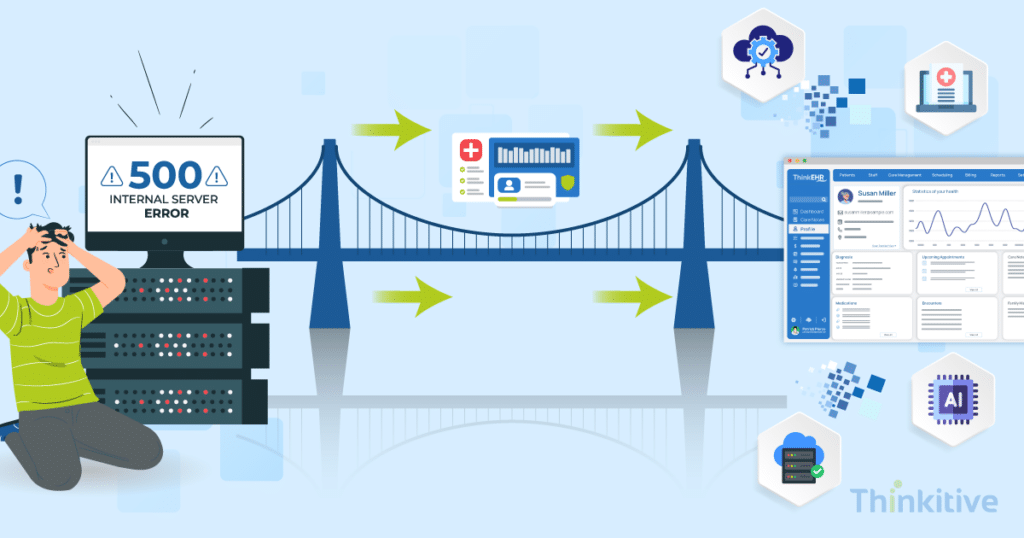
Did you know only 44% of clinicians believe their EHR provides the level of integration they expect with practices outside their clinic?
Well, that is exactly what KLAS Arch Collaborative research has suggested and rightly pointed out that interoperability is one of the most common sources of frustration.
You see, healthcare practices rely on their EHRs to coordinate patient care, document encounters, manage billing, and connect with labs, pharmacies, and other care providers. But their EHR system makes the entire process cumbersome with slow performance, staff juggling multiple applications, and IT teams spending time on existing problems rather than on innovation.
But due to these challenges, their legacy EHR system doesn’t stop working, but it is not able to keep up with the modern demands of their clinics. As practices are actively adopting telehealth, AI-assisted documentation modules, RPM capabilities, and value-based care models, these legacy systems are simply not able to support the seamless data exchange infrastructure.
This is forcing many of the practices to look beyond these legacy systems by choosing to switch from a legacy EHR and transition to a new EHR that bends and molds according to your needs and requirements.
Now, while switching to a new EHR may seem complex, a well-planned migration can not only be the key to improve clinical workflows and strengthen interoperability but also to reduce administrative burden and lay down the foundation for technological enhancements.
However, the main question that remains here is, ‘How to create an Electronic Health Record System?’
Well, that is exactly the question that we are going to try to answer in this blog.
On that note, let this blog be your guide to everything you need to know about switching from a legacy EHR to a new EHR for a successful transition.
Own Your Data By Building the EHR Your Practice Needs –
Read GuideRecognizing When It’s Time to Replace a Legacy EHR
Let’s start with the basics and see if your system really needs to be replaced with a new EHR system. So, if your system is able to keep up with evolving clinical and administrative needs, then you don’t need a replacement.
Let me simplify: for instance, if you expand your service bandwidth by adopting new care models, you would have to meet the evolving regulatory needs, but your system does not allow you to expand that with ease and makes it difficult to integrate newer trends, then take the hint and start your EHR replacement planning.
Here are some of the most common signs that indicate it’s time to replace your legacy EHR system:
- Frequent system slowdowns and downtime
- Limited interoperability with labs, pharmacies, and third-party applications
- Heavy reliance on manual data entry and duplicate workflows
- Difficulty integrating telehealth, AI, or remote patient monitoring solutions
- Rising maintenance and infrastructure costs
- Poor user experience leading to clinician frustration
- Limited reporting and analytics capabilities
The reasons why these are the signs are that these challenges don’t just affect the entire productivity of your organization but also limit it from innovating or modernizing.
What Is the Legacy EHR Migration Process?
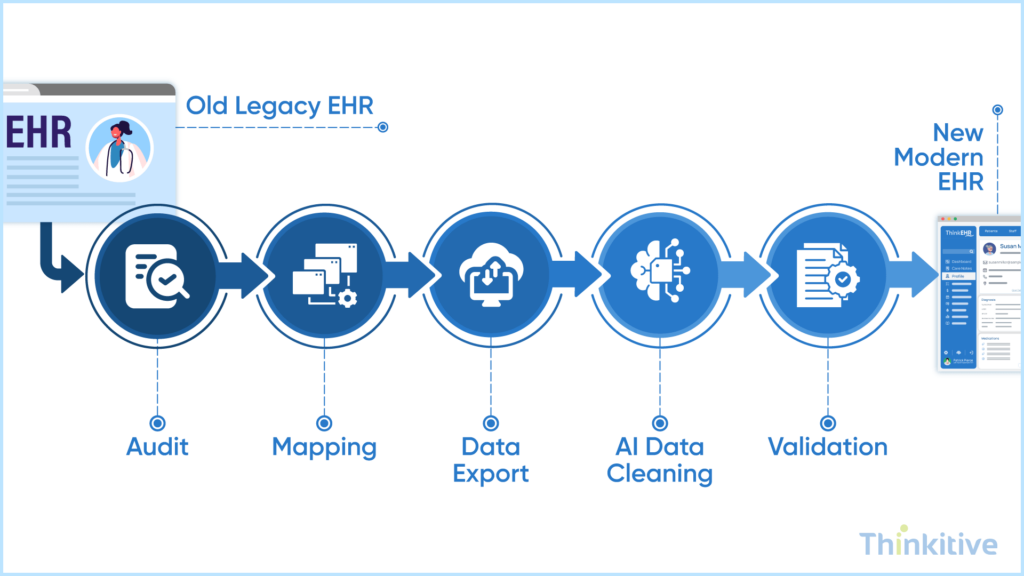
Legacy EHR migration is something that will confuse you the most, but it’s actually very simple to understand. Technically, it’s the process of transferring clinical, administrative, and operational data from an existing system to a modern or new platform, while preserving data integrity, minimizing downtime, and ensuring business continuity.
On that note, here are the six stages of the legacy EHR migration process that you have to follow:
- Audit the Legacy Data: The first stage is to start by identifying all the data stored in your existing EHR that needs to be migrated. This includes patient records, clinical notes, billing information, appointments, documents, and integrations. This is important to ensure the right data is migrated, discarded, and archived.
- Map the Data Fields: Map every field from the legacy system to its corresponding field in the newer EHR. This is done to identify any missing or incompatible fields early to avoid data loss or inconsistencies during the legacy EHR migration process.
- Extract the Data: Export patient records and historical data from the legacy system to the desired system using a secure and documented process to create a reliable source dataset for migration.
- Transform & Cleanse the Data: Standardize formats, remove duplicate records, correct inconsistencies, and normalize clinicals codes like ICD-10, SNOMED, or CPT codes. This improves data quality before data importing takes place.
- Validate the Migration: Verify that all the records have been transferred accurately by reconciling record counts, clinical values, documents, and other clinical information with the source system before going live.
- Switch Over & Decommission: Move users to the new EHR, monitor performance during a parallel run, and retire the legacy system only after confirming that the migration is complete and the new platform is operating as expected.
Defining the Target System Before Migration Begins
Before the migration process begins, you actually need to define how your new EHR would look like. This is one of the most common and recurring problems that many practices face during the legacy EHR migration. The challenges occur because practices focus on moving data before deciding how the system should support their clinical workflows, operational processes, and long-term business goals.
Taking the time to define your target system upfront ensures that you’re not simply transferring old inefficiencies into a new platform. On that note, here is a table to help you define the target system effectively:
| Planning Stage | What You Need to Do | Why It Matters |
| Assess Current Workflows | Review existing clinical, administrative, and billing workflows to identify bottlenecks, manual tasks, and inefficiencies. | Ensures the new EHR improves workflows instead of replicating existing problems. |
| Identify Integration Requirements | Document every system the new EHR should connect with, including labs, pharmacies, billing platforms, telehealth, AI tools, and RPM devices. | Prevents integration gaps that could disrupt patient care and operations after go-live. |
| Define the Target Data Model | Determine how patient records, clinical data, documents, and custom fields will be organized in the new EHR. | Creates a scalable and standardized foundation for accurate data migration. |
| Set Clinical & Business Objectives | Define measurable goals such as reducing documentation time, improving interoperability, supporting multi-location practices, or enabling AI-driven workflows. | Keeps every migration decision aligned with organizational priorities. |
| Establish Timeline & Governance | Create a realistic migration timeline, assign stakeholder responsibilities, define success metrics, and establish project governance. | Improves accountability, reduces project risks, and keeps the migration on track. |
This activity would reduce the upfront migration risks and ensure that your new EHR system supports your organization’s long-term clinical and operational goals.
Managing Data Migration Without Losing Critical Information
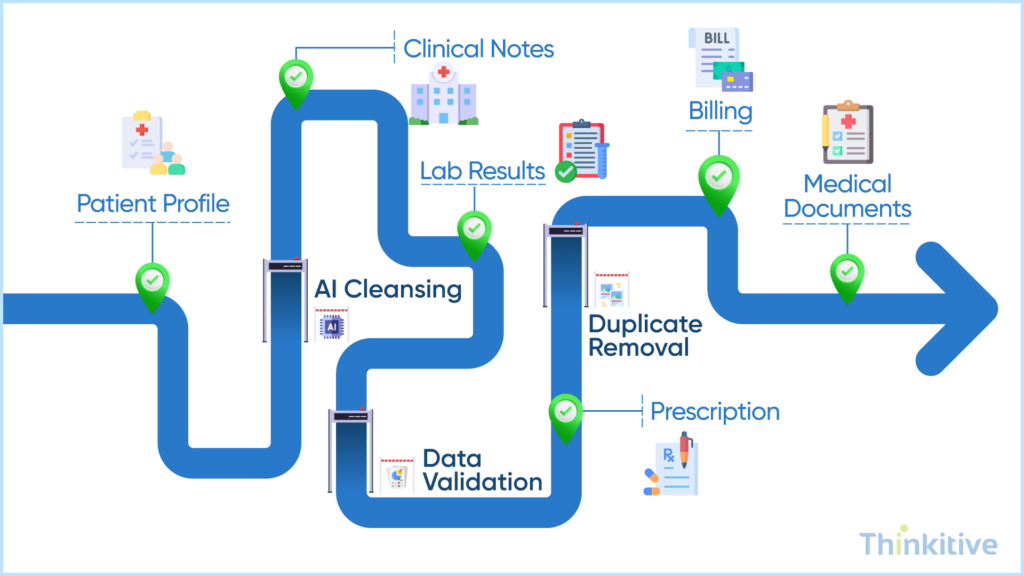
Migrating data is one of the most critical stages of an EHR transition. In this legacy EHR migration process, the goal isn’t to move every piece of information as-is; instead, it is to ensure that every record essential to patient care, compliance, and business operations is accurately migrated.
Here are some best practices for EHR system replacement to help you reduce migration risks and maintain data integrity.
- Migrate Only What Matters: Identify which patient records, clinical notes, lab results, billing information, and documents should be migrated, archived, or retired instead of moving unnecessary historical data.
- Validate Data at Every Stage: Verify data quality before migration by removing duplicates and fixing inconsistencies, then validate record counts and clinical information again after migration to ensure accuracy.
- Use AI to Improve Accuracy: Leverage AI-powered tools to match duplicate patient records, standardize clinical codes, detect anomalies, and automate data cleansing before importing records into the new EHR.
- Prioritize Continuity of Care: Ensure providers have uninterrupted access to medications, allergies, diagnoses, and patient history throughout the migration to avoid disrupting clinical care.
In your legacy EHR migration process, how much data you move to the new system isn’t important; instead, the accuracy of the data that you move is what matters the most. By following these best practices, healthcare organizations can minimize migration risks while ensuring a smooth transition for both providers and patients.
Know How You Can Switch From Legacy System to Your Own EHR –
Watch DemoMinimizing Disruptions During EHR System Replacement
When you are replacing your EHR system, your practice doesn’t need to stop. In fact, most disruptions occur because they focus on the technical side and miss out on people, processes, and risks that come with it.
On top of that, identifying potential challenges early allows you to plan for them and ensure a smoother transition. Here are some of the possible disruptions that you might encounter, and here is how you can minimize them:
| Potential Disruption | How to Minimize It |
| Interrupted Clinical Workflows | Schedule migration during off-peak hours, migrate in phases, and maintain temporary access to the legacy EHR until the new system is stable. |
| Low User Adoption | Deliver role-based training, hands-on practice sessions, and post-go-live support to help users adapt quickly. |
| Manual Migration Errors | Automate data validation, record matching, and migration testing to reduce manual effort and improve accuracy. |
| Unexpected Migration Failures | Create secure backups, establish rollback procedures, and define contingency plans to quickly recover from any issues. |
Post-Migration Validation & Compliance Requirements
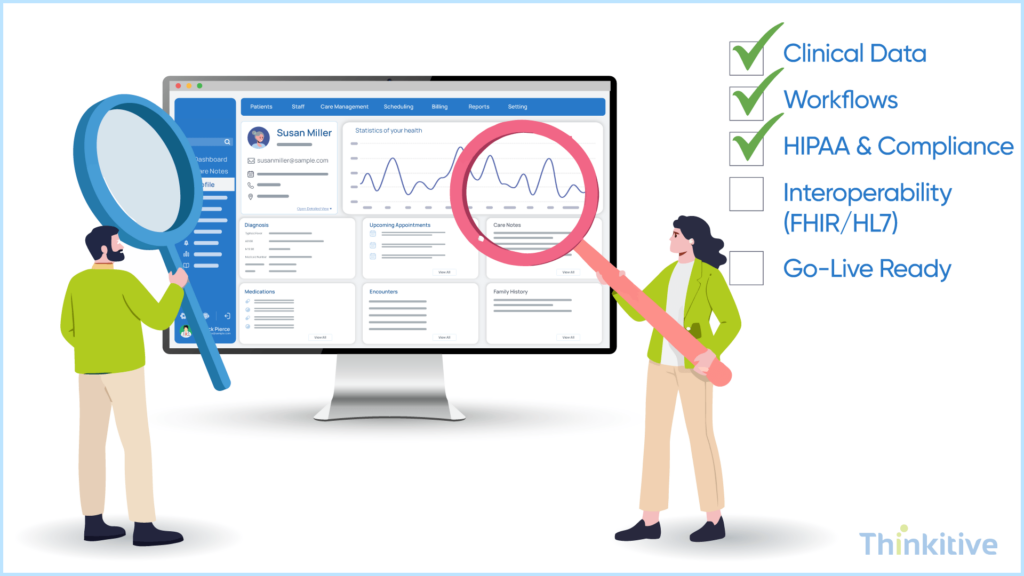
Just like any healthcare IT project, the work isn’t done after the new system goes live. The final piece of the puzzle is healthcare data migration validation, which is done to ensure that all the critical data is migrated accurately, ensure regulatory compliance, and prepare the new EHR for future interoperability and growth.
Here is a quick checklist that you must know about healthcare data migration validation;
- Validate Clinical Data: Reconcile patient records, medications, allergies, diagnoses, and documents to confirm that the migrated data matches the legacy system.
- Verify Regulatory Compliance: Ensure the migration aligns with HIPAA, HITECH, ONC certification requirements, and the 21st Century Cures Act.
- Secure Complete Data Access: Use the information-blocking provisions of the 21st Century Cures Act to obtain all patient data from the outgoing EHR vendor when needed.
- Future-Proof Your EHR: Adopt HL7 and FHIR standards to simplify integrations, improve interoperability, and make future migrations easier.
Note: Post-migration validation ensures your new EHR is not only operational but also accurate, compliant, and ready to support long-term digital transformation.
Learn How Your Legacy EHR is Pulling Your Practice Down –
Get Free Consultation
Conclusion
Switching from a legacy EHR to a new system is more than just a technology upgrade; it’s an opportunity to improve clinical workflows, strengthen interoperability, and build EHR software that can grow as your practice grows.
While the legacy EHR migration process may seem complex, careful planning, accurate data migration, user training, and post-migration validation can make the transition smooth and successful.
Whether you’re replacing an outdated system or building a future-ready EHR from the ground up, taking a structured approach will help you minimize risks, maintain continuity of care, and maximize the long-term value of your investment.
On that note, get your system assessed by our EHR expert and start your EHR software development today.
Frequently Asked Questions
The legacy EHR migration process involves transferring patient records, clinical data, billing information, and other critical healthcare data from an existing EHR to a new system. A successful migration typically includes auditing legacy data, mapping fields, extracting records, cleansing and transforming data, validating accuracy, and completing a controlled system switch-over while minimizing disruptions to patient care.
Healthcare organizations should consider switching from a legacy EHR when their existing system slows clinical workflows, limits interoperability, requires excessive manual work, increases maintenance costs, or cannot support modern technologies such as telehealth, AI-powered documentation, and FHIR-based integrations. These challenges often indicate that the system no longer meets operational or clinical needs.
To switch from legacy EHR to new EHR systems successfully, organizations should start with detailed EHR replacement planning, define migration objectives, cleanse and validate existing data, train end users, test integrations, and perform comprehensive validation before and after go-live. A phased migration strategy and clear rollback plan can further reduce implementation risks.
The biggest risks during a legacy EHR migration include data loss, inaccurate patient records, workflow disruptions, system downtime, integration failures, low user adoption, and regulatory compliance issues. These risks can be minimized through proper planning, data validation, staff training, and comprehensive migration testing.
Effective EHR replacement planning should include workflow analysis, integration requirements, target data modeling, migration timelines, stakeholder responsibilities, user training plans, risk mitigation strategies, governance, and measurable success metrics. Planning these elements before migration helps ensure a smoother transition and better long-term outcomes.
Healthcare data migration validation involves comparing migrated patient records with the legacy system to verify record counts, medications, allergies, diagnoses, clinical notes, billing information, and documents. Organizations should also perform user acceptance testing and clinical validation before relying on the new EHR for patient care.
Some of the best practices for EHR system replacement include migrating only essential data, validating data quality before and after migration, involving clinicians throughout the project, providing role-based user training, automating repetitive migration tasks, maintaining temporary access to the legacy system, and establishing contingency and rollback plans.
AI can improve the legacy EHR migration process by identifying duplicate patient records, cleansing inconsistent data, standardizing clinical codes, automating record matching, and detecting migration errors before go-live. This reduces manual effort, improves migration accuracy, and accelerates the overall transition.
FHIR and HL7 provide standardized methods for exchanging healthcare information between systems. During EHR system replacement, these standards simplify data mapping, improve interoperability with third-party applications, support regulatory compliance, and make future migrations or integrations significantly easier.


