Allscripts Integration: Streamlining Clinical Data Exchange


Healthcare practices rely heavily on systems, especially EHR systems, which have become the epicenter of care delivery for every healthcare practice.
Now, a practice cannot simply work on just an EHR system; in fact, if you look at any practice, it has multiple digital systems separate for different aspects, like managing patient records, a separate one for clinical workflows, laboratory data, telehealth, etc.
This has led to fragmented information spread across the system, disrupting or slowing down both clinical and administrative workflows. Now, imagine a bridge that connects all your disconnected systems and ensures secure and streamlined clinical data exchange across your system. Sounds quite appealing, right?
Well, that is exactly what you can achieve with Allscripts EHR integration, for instance, through interoperability standards like HL7 and FHIR APIs, you can automate your workflows, and improve real-time access to patient information. This can help you in reducing administrative burden and supporting better clinical decision-making.
And given the growing demand for larger clinics and specialty practices, the rise of Allscripts, now Veradigm, this is something that the practice is looking forward to.
On that note, let’s know the intricacies of API-driven clinical connectivity and streamlined data exchange with Allscripts. Along with that, also see how we can streamline clinical data exchange with Allscripts integration.
So, without further ado, let’s get started!
Assess Your System for Allscripts EHR Integration –
Get Free Assessment
The Gateway: Allscripts Unity API & Veradigm Connect
Healthcare interoperability in 2026 heavily relies on secure, scalable, and developer-friendly APIs. This enables seamless communication between EHR systems and other applications that your practice relies on.
Allscripts provides this connectivity framework or layer through Allscripts Unity API and the Veradigm Connect developer ecosystem. With the help of this, you can build interoperable solutions for clinical, financial, and administrative workflows. Let’s have a look at this here:
- Registering Applications Through Developer Portal: The Veradigm Connect developer portal acts as the entry point for building and managing Allscripts interactions. On this portal, developers can register applications, generate API credentials, access sandbox testing environments, and manage integration settings through a centralized platform. This process streamlines the onboarding process and simplifies development.
- Exploring the Capabilities of the Allscripts Unity API: Now, earlier, you heard the term Allscripts Unity API, which enables you to integrate clinical, financial, and administrative workflows with external applications. Due to this, accessing data like patient records, appointments, medications, lab results, etc., becomes much easier, and with this, you can support seamless interoperability across healthcare platforms.
- Understanding API Onboarding, Sandbox Access & Authentication Requirements: Before deployment, developers can use sandbox environments to test their Allscripts EHR integrations to safely use sample healthcare data. Now, the process involves configuring API keys, OAuth authentication, and role-based access controls to ensure secure and HIPAA-compliant communication between systems.
- Navigating API Documentation & Endpoint Discovery Workflows During Development: For integration, you need to understand available endpoints, request formats, authentication methods, and integration guidelines, and this can be done by comprehensive API documentation. With proper endpoint discovery, implementation could be faster by helping developers identify the exact APIs needed for clinical data exchange, workflow automation, and healthcare interoperability solutions.
Implementing Allscripts FHIR for Clinical Data
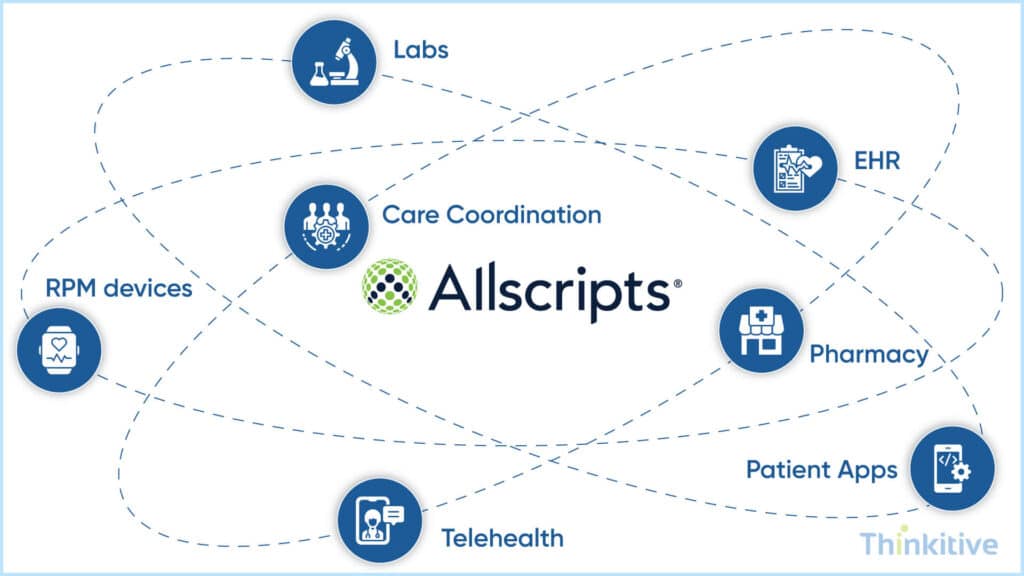
The most important data that you need for your practice is clinical data. Now, implementing this integration is tricky and can confuse even the developers. On that note, let’s see the intricacies involved in this.
- Executing Allscripts FHIR implementation for Clinical Data: Implementing FHIR within Allscripts environments allows healthcare organizations to exchange data securely and in real-time across multiple healthcare systems. Due to this, FHIR-based integration improves interoperability by allowing applications to access structured patient information, clinical records, and care coordination data through standardized APIs.
- Supporting Interoperability Using FHIR Standards & REST-Driven APIs: FHIR uses RESTful APIs to simplify healthcare data between EHRs, third-party applications, patient portals, and healthcare platforms. This modern framework enables faster integration development, scalable connectivity, and seamless access to healthcare resources while reducing the complexity associated with legacy HL7-based integrations.
- Managing Patient, Medication & Observation Resource Mapping Workflows: FHIR resource mapping is necessary for organizing and exchanging structured healthcare data. Here, resources refer to patient, medication, and observation standardized demographic information, prescription details, vital signs, lab results, etc., across interoperable systems, improving consistency and data accuracy.
- Aligning Interoperability with USCDI, ONC Certification & 21st Century Cures Act Standards: After all this, your healthcare Allscripts EHR integration must align with interoperability regulations and data-sharing standards such as USCDI, ONC certification requirements, and 21st Century Cures Act. These frameworks promote secure patient access, standardized data exchange, and improved healthcare transparency while supporting regulatory compliance across healthcare organizations.
- SMART on FHIR Integration Allscripts Professional & Sunrise Clinical Environments: SMART on FHIR enables third-party healthcare applications to integrate directly within Allscripts Professional and Sunrise workflows. Now, this allows clinicians to access embedded applications, clinical decision support tools, patient engagement platforms, and care coordination solutions without disrupting existing EHR workflows.
- Using SNOMED CT, LOINC, RxNorm & ICD-10 Normalization Workflows: For accurate healthcare interoperability, using standardized clinical terminology is critical. Some of the terminologies, such as SNOMED CT, LOINC, RxNorm, and ICD-10, help in normalizing diagnoses, medications, lab data, and clinical observations. This ensures consistent data exchange across healthcare applications, providers, and care settings.
Know the Best Approach for Allscripts EHR Integration –
Get Free ConsultationPractical Steps for Allscripts EHR Integration Using Unity API
A structured approach focusing on security, interoperability, and workflow efficiency is required for successfully integrating the Allscripts EHR system with third-party applications. Now, Unity API provides developers with a secure framework for exchanging clinical, financial, and operational data across connected healthcare systems while supporting scalable interoperability initiatives.
Here is a table that would help you understand this process or steps better:
| Integration Step | Description |
| OAuth 2.0 Authentication Setup | Configure secure OAuth 2.0 authentication, API credentials, and token management to protect patient data and ensure HIPAA-compliant access to Allscripts systems. |
| Managing Access Scopes | Define provider-facing and system-to-system access permissions based on clinical workflows, backend automation requirements, and data access policies. |
| Clinical Data Exchange | Use the Unity API to exchange patient records, appointments, lab results, medications, allergies, and scheduling data across connected healthcare systems. |
| Read & Write-Back Capabilities | Enable external applications to retrieve healthcare data and update clinical information directly within the EHR for seamless interoperability. |
| Workflow Automation | Automate operational workflows such as appointment synchronization, documentation updates, care coordination, and billing processes. |
| Performance & Scalability Best Practices | Implement scalable API architecture, monitoring, error handling, secure authentication, and optimized data mapping for reliable integration performance. |
| Third-Party Application Integration | Register applications through the Veradigm Connect portal, access sandbox environments, configure authentication, and connect securely to Unity API endpoints. |
Selecting the wrong EHR integration approach can increase costs, delay deployments, and create long-term maintenance challenges.
Also, you know the complete guide about EHR vendor integration. Read this detailed blog here — EHR Vendor Integration: How to Choose the Right Approach by System.
Explore how different EHR vendors handle interoperability and learn which integration strategy aligns best with your business goals, timeline, and budget.
Validating Allscripts Interoperability & Deployment
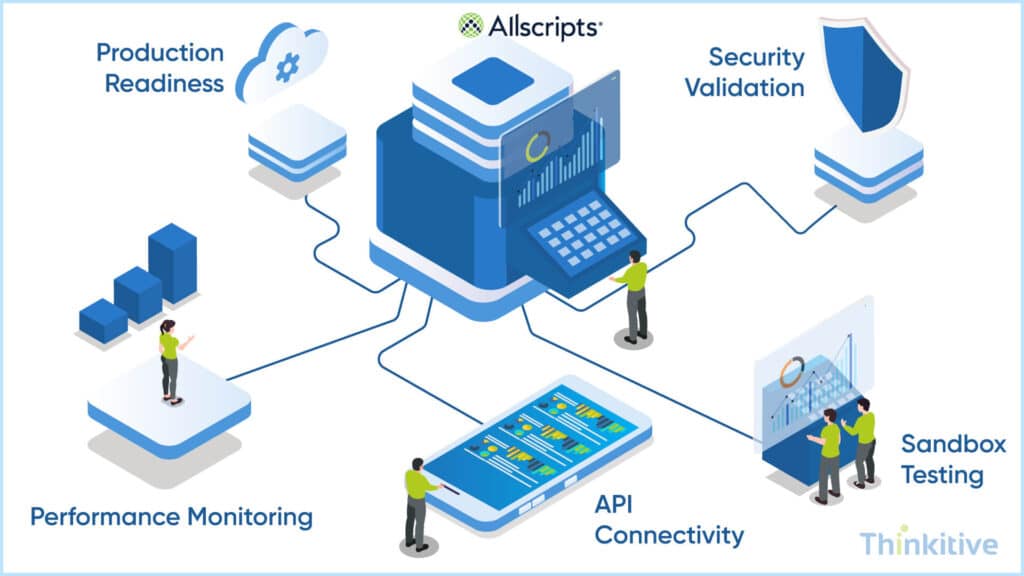
Before going live with Allscripts integration, you need to validate these workflows with Veradigm sandbox environments and synthetic patient data. This allows development teams to safely test interoperability logic, API connectivity, and healthcare data exchange processes without affecting live clinical systems.
On top of that, organizations also monitor throughput, latency, and synchronization reliability to ensure stable and real-time data exchange across enterprise healthcare environments. This is a form of performance monitoring that helps in maintaining seamless interoperability between EHRs, laboratories, pharmacies, patient portals, and other third-party healthcare applications.
Now, the most important part is that production deployment readiness typically involves security validation, compliance testing, workflow verification, and commercial certification processes. Proper deployment planning can be a good way to navigate through this. It not only reduces operational risks but also ensures reliable integration performance across clinical environments.
Long-term interoperability success also depends on effectively managing API updates, evolving interoperability standards, and ongoing maintenance requirements. Regular monitoring and system optimization help healthcare organizations adapt to changing healthcare workflows and regulatory requirements.
In addition to that, healthcare providers should continuously detect and resolve workflow disruptions, failed API transactions, and data synchronization issues that may impact clinical operations, patient data accuracy, and care coordination workflows.
Do You Really Need Allscripts EHR Integration? –
Learn MoreConclusion: Sustaining a Connected Clinical Workflow
Allscripts is one of the leading healthcare IT solutions, which is now operating under the name Veradigm. Now, Allscripts EHR integration helps you in connecting your EHR and practice management system with other healthcare IT solutions.
One of the major advantages why providers like yourself are looking for this is to eliminate duplicate data entry and unite scheduling, clinical notes, billing, and lab results into one synchronized workflow.
Despite having shrunk its market share a little, it still remains one of the strongest ecosystems for ambulatory and specialty-care connectivity. And with the long-term prospects of connectivity standards like FHIR, SMART standards, TEFCA, and healthcare data exchange in modern interoperability, integrating Allscripts is the right decision you can make right now.
On that note, I hope this blog gives you a deeper understanding of Allscripts EHR integration, and if you want to know where your system stands, then talk to our EHR integration expert and see your system readiness.
Frequently Asked Questions
The Allscripts Unity API is used to support secure healthcare interoperability and streamline clinical, financial, and administrative workflows during Allscripts EHR integration. It enables healthcare organizations to exchange patient records, appointments, medications, lab results, and other clinical data with third-party healthcare applications.
To begin an Allscripts API integration project, developers must register their application through the Veradigm Connect developer portal. The platform provides API credentials, sandbox access, authentication configuration, technical documentation, and endpoint references required for secure healthcare data exchange and interoperability testing.
An Allscripts FHIR implementation for clinical data typically requires FHIR-compatible APIs, OAuth 2.0 authentication, standardized healthcare resource mapping, sandbox testing access, and compliance with interoperability standards such as USCDI and ONC certification requirements. Proper clinical terminology normalization using SNOMED CT, LOINC, RxNorm, and ICD-10 is also important for accurate healthcare data exchange.
Organizations looking for how to integrate with Allscripts using Unity API generally begin by registering applications through Veradigm Connect, obtaining API credentials, configuring OAuth authentication, and connecting to Unity API endpoints. This enables secure interoperability between Allscripts EHR systems and third-party healthcare applications such as telehealth platforms, billing systems, patient portals, and care coordination tools.
Yes, Allscripts interoperability supports SMART on FHIR implementation within environments such as Allscripts Professional and Sunrise™. SMART on FHIR allows third-party healthcare applications to integrate directly into clinical workflows while enabling secure and standardized access to healthcare data through modern FHIR-based APIs.
Allscripts interoperability supports bi-directional healthcare data exchange by allowing external applications to both retrieve and update healthcare information within the EHR. This includes read, write-back, and workflow automation capabilities for patient records, appointments, prescriptions, clinical notes, and care coordination workflows.
Common challenges in Allscripts API integration projects include legacy system compatibility, workflow disruption risks, healthcare data normalization complexity, API version management, interoperability compliance requirements, authentication configuration, and maintaining synchronization reliability across multiple clinical systems.
Yes, the cost of Allscripts integration for clinical data exchange can vary depending on API access requirements, implementation complexity, third-party application integrations, interoperability standards, custom workflow development, testing requirements, and long-term maintenance needs. Enterprise-scale healthcare integrations may also involve certification and infrastructure costs.
Allscripts EHR integration projects typically require OAuth 2.0 authentication, encrypted API communication, role-based access controls, audit logging, secure token management, HIPAA compliance measures, and protected healthcare data transmission standards to ensure secure interoperability across connected systems.
The timeline for an Allscripts API integration project depends on factors such as integration scope, number of connected healthcare systems, interoperability requirements, workflow complexity, testing phases, compliance validation, and third-party application dependencies. Smaller integrations may take a few weeks, while enterprise healthcare interoperability projects can require several months for full deployment.


