Must-Have Features When You Build Your Own EHR

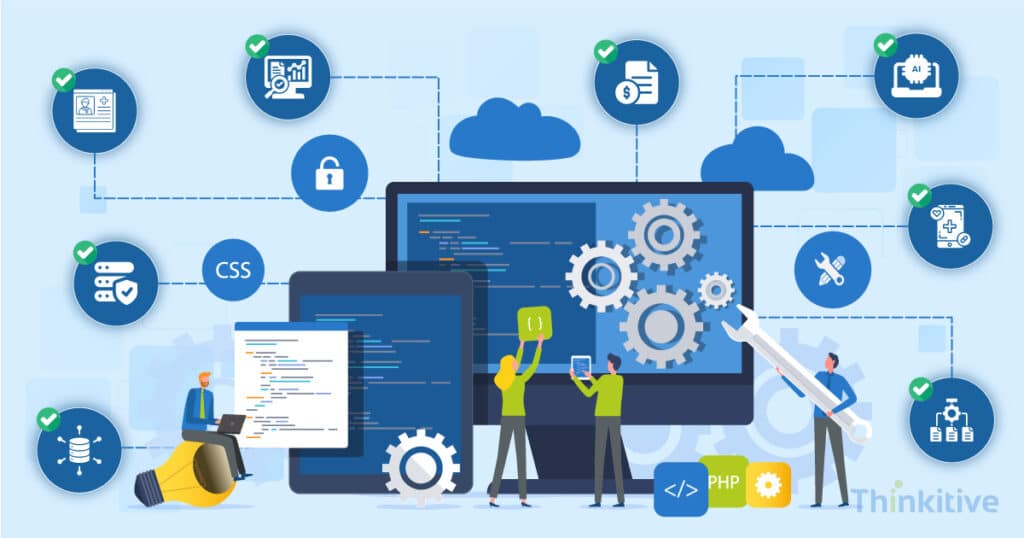
The modern-day need for healthcare practices is pushing healthcare practices to make a shift from traditional healthcare software to custom software systems. And the most in-demand is the EHR software systems.
You see, most of the practices still use legacy healthcare systems, and that too off-the-shelf software systems. Now, the problem with these legacy off-the-shelf software systems is that they come with pre-defined features and functionalities.
Due to this, many practices are forced to pay for features that they do not even need. Moreover, some of the features that they need are either absent or require a separate subscription to be included in your system.
The customization, rigidity, and scalability needs have made healthcare practices build their own EHR systems. This way, they can not only build an interoperable system but also make it AI-powered so that workflow efficiency increases.
However, the major advantage comes in the form of increased patient engagement. Practices building their own EHRs being one of the rising trends in healthcare, the most confusing part of this has been deciding on the features for building an EHR.
And this has been a consistent pattern for most of the practices that are trying to build their own EHR. After developing over 50+ EHRs across multiple care settings such as ambulatory, hospitals, and specialty care, some of the most common questions that we come across are, ‘What features should an EHR have when building from scratch?’ or ‘How to prioritize EHR features during development?’
Healthcare practices are not wrong to raise these questions; after all, they don’t know the technical aspects and the right features that they need.
On that note, to help you with features for building an EHR, let this blog be your guide to EHR feature requirements and the must-have features to build your EHR.
So, without further ado, let’s get started!
Core Clinical Features Required in Modern EHR Systems
The core clinical capabilities of the EHR system are where the success of the software lies. As you know, features define the functionality of any software; these features support almost all your staff, including physicians, nurses, and care team members.
On that note, here are some of the core clinical features that you must have:
- Digital Patient Charting & Clinical Documentation: Digital charting allows healthcare providers to capture and manage patient information electronically in a structured and accessible format. On top of that, it should also support clinical notes, encounter documentation, diagnoses, vitals, histories, and process tracking in a single centralized patient record. This can help you in reducing administrative burden and improving data accuracy.
- Medication Management & ePrescribing: Medication management is another critical component of any EHR software system. This is one of the must-have features to build an EHR, which should support electronic prescribing, medication history tracking, and everything related to it, including refill, drug interaction checks, etc. This can streamline communication with pharmacies and reduce the margin of error to a minimum.
- Care Plans, Allergies & Medical History Tracking: An EHR must provide a longitudinal overview of the patient’s health. This includes chronic conditions, allergies, immunization records, family history, etc. This feature for building an EHR is crucially necessary because it allows clinicians to make informed decisions and maintain continuity of care.
- AI-Assisted Clinical Documentation & Decision Support: AI-powered features are slowly becoming essential for modern EHR systems. Some of the most anticipated features, like AI medical scribes, voice-to-text charting, automated clinical summaries, predictive alerts, and clinical decision support tools, can improve provider efficiency significantly by reducing physician burnout, minimizing documentation tasks, and enabling data-driven clinical decision-making.
When building your own EHR, you must focus on creating strong foundational features that support both clinical and operational workflows. Some of the core EHR features required for new EHR development are patient records management, appointment scheduling, billing integration, interoperability, patient portals, analytics, etc.
Workflow Automation & Interoperability Features
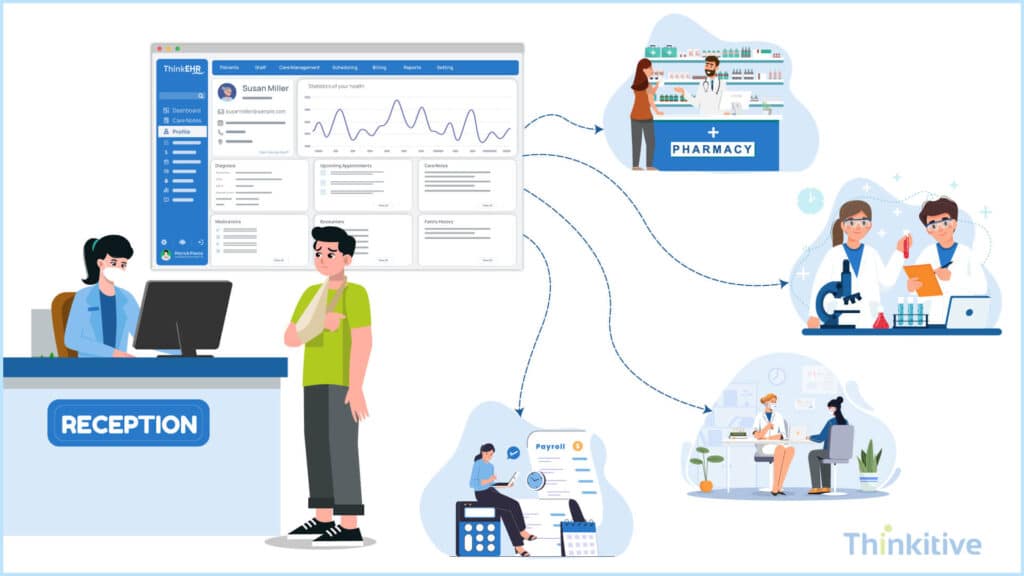
There are certain EHR feature requirements that you need to address with respect to your practice’s workflow, automation for data flow, and data sharing. These features are necessary for the day-to-day functioning of your practice. For instance, it helps you to streamline your healthcare operations, reduce manual administrative work, and enable communication between different healthcare systems.
So, on that note, let’s explore some of the workflow automation and interoperability features for building an EHR.
- Appointment Scheduling & Provider Workflow Management: The very first step in care delivery starts with scheduling. By giving your EHR system the ability to efficiently schedule and manage appointments based on provider availability, patient intake, and clinical workflows from a centralized system. It should also support automated scheduling, calendar synchronization, appointment reminders, and resource allocation. Along with that, with provider workflow management tools, you can streamline clinical operations by organizing tasks, patient queues, documentation workflows, and care coordination activities in real-time.
- Task Automation & Referral Coordination: Workflow automation is also necessary for day-to-day activities; for instance, it can help you reduce repetitive administrative tasks that slow down your operations. On top of that, your EHR must also support automated task assignments, follow-up reminders, patient notification, billing workflows, and referral management. Furthermore, Referral coordination features can also come in handy, enabling providers to securely share patient information with specialists, labs, imaging centers, and external care teams to ensure continuity of care throughout the journey.
- HL7, FHIR & API-Driven Integrations: HL7, FHIR, and APIs are the necessary standards and connectivity layers that help in achieving interoperability. These integrations help you in exchanging data with laboratories, pharmacies, imaging systems, billing platforms, wearable devices, etc.
- Real-Time Healthcare Data Exchange Across Systems: Real-time data exchange is one of the most important features for modern-day clinics and EHR systems. They enable secure, real-time sharing of clinical records, test results, prescriptions, and treatment updates across healthcare ecosystems.
Security & Compliance Features
Given the sensitive nature of data that you deal with through the EHR software, you need to ensure the software system is always secure and compliant with necessary regulations. This requires you to comply with some of the federal and state laws, depending on where you practice.
So, on that note, let’s look at the must-have features to build an EHR for security and compliance:
- HIPAA, HITECH, ONC & 21st Century Cures Act: Modern EHR systems that you are building must align with major healthcare regulations and interoperability standards. While compliance like HIPAA and HITECH helps in ensuring protection and secure handling of data, the ONC certification and 21st Century Cures Act focus on interoperability, patient access, and data transparency. Some of the core features that your EHR needs to support are:
- Secure patient data management
- Electronic access controls
- Interoperability requirements
- Audit readiness
- Patient data sharing
- Role-Based Access Controls & Audit Trails: One of the crucial features for security is role-based access control. This ensures that only authorized users can access the information and system functions that are relevant to their responsibilities. On the other hand, this should also be supported with Audit Trail functionality, which allows you to track user logins, record access, data modifications, etc. Its basic function is to help improve accountability, support compliance investigations, and strengthen overall system security.
- Encryption & Cybersecurity Monitoring: Modern EHR systems must have strong encryption to protect patient data during storage and transmission. A few other security features are multi-factor authentication, threat monitoring, intrusion detection, and automated security alerts that help in reducing the risk of cyberattacks, ransomware, and data breaches.
- Disaster Recovery & Infrastructure Planning: The difference between a normal EHR and a reliable EHR system is that a reliable EHR system supports automated backups, cloud redundancy, a failover system, and has disaster recovery planning to ensure continuous access to patient records. Strong infrastructure planning helps you minimize downtime and maintain uninterrupted patient care during system failures or emergencies.
EHR Admin & Billing Features
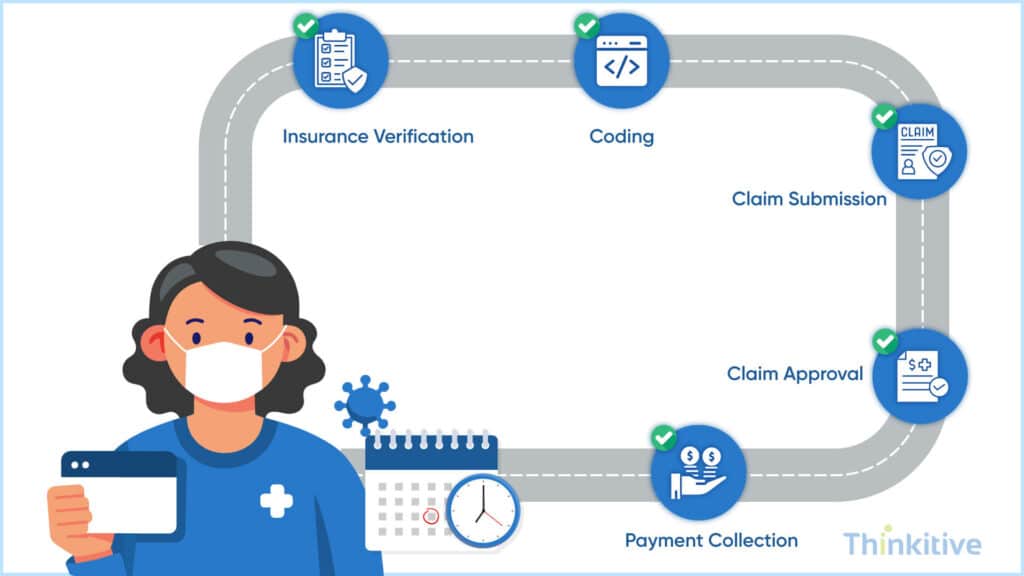
Coming to some of the most important features of building an EHR, the EHR admin and billing features give you control and bring money into your practice. So, let’s have a look at it in detail.
- Billing, Claims Processing & Insurance Verification: Integrated billing capabilities help healthcare practices automate financial workflows directly from your EHR system. Moreover, it should support certain functionalities like medical coding, claims submission, payment tracking, denial management, and real-time insurance verification. These features can reduce manual administrative work, accelerate reimbursements, minimize claim errors, and improve overall revenue cycle efficiency.
- Revenue Cycle Visibility & Reporting Tools: Since you are building your own EHR in this modern era, your EHR system must also provide real-time visibility into financial performance and operational metrics. Reporting dashboards and analytics tools help healthcare providers track claims status, reimbursement trends, collections, denials, and revenue performance. Now, these insights are important because they support faster decision-making, give financial transparency, and help in identifying bottlenecks that may impact your revenue collection.
- Administrative Workflows for Healthcare Operations: A few other administrative workflow management features help streamline day-to-day healthcare operations beyond clinical care. These tools need to be designed carefully because they help improve operational efficiency, reduce staff workload, and create smoother experiences for both healthcare teams and patients.
EHR Features for Patient Experience
Practices have identified that patient engagement and delivering connected healthcare experiences can not only improve care outcomes, but also the care practices. That is why they say, EHR systems today are used for more than just managing clinical data. In fact, some want the system to strengthen communication and create more personalized interactions throughout the patient journey.
On that note, let’s learn about a few features related to this:
- Patient Engagement & Communication Tools: Patient engagement features like secure messaging, patient portals, telehealth access, document sharing, and care coordination tools can help practices maintain continuous communication with patients during their entire care journey. These features help in improving patient participation, increasing transparency, and building a stronger relationship.
- Appointment Reminders & Digital Follow-Ups: Another feature that helps in appointments and follow-ups, like SMS reminders, email notification, follow-up scheduling, medication reminders, and post-visit communication workflows, can be used to improve adherence and reduce administrative workload for your staff.
- Personalized Healthcare Experiences: Delivering more personalized care experiences is something that every practice is aiming for. To enable this, your EHR features for patient experience, like customized communication workflows and patient-specific health insights, help in improving engagement and satisfaction.
Building Patient Portals in Your EHR
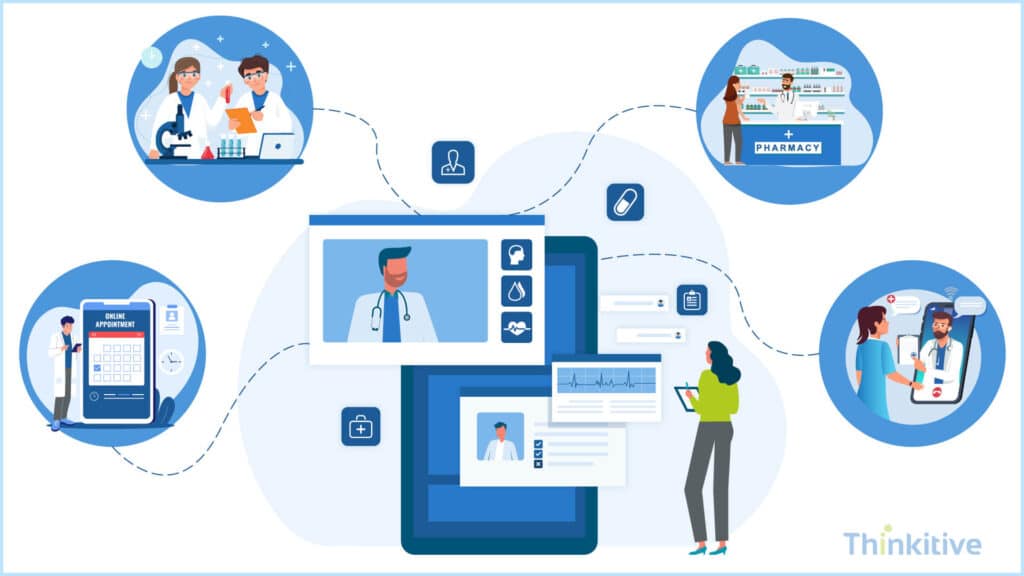
Another core component of the EHR system that you must include in your EHR feature checklist for developers is patient portals. It basically acts as the point of contact for patients and takes an active part in their care journey. On that note, let’s have a look at some of these features that you must include in your patient portal when building your own EHR.
- Secure Access to Records, Prescriptions & Test Results: First things first, the patient portal should be accessible to the patient securely. On top of that, it should be on-demand and must include medical records, prescriptions, lab reports, treatment histories, and test results. This feature helps in imbuing transparency, encourages patient engagement, and helps patients stay informed about their ongoing care and treatment plans.
- Self-Service Scheduling & Messaging Capabilities: One of the best ways to improve patient engagement is to have self-service capabilities in patient portals. Some of the features in this are scheduling appointments, requesting prescription refills, intake forms, and communicating directly with providers through secure messaging.
- Mobile-Responsive Patient Portal Experiences: Multilingual and mobile EHR features are the modern need for EHR systems, as the usage of phones is skyrocketing. With respect to that, it should offer responsible, mobile-friendly experiences. They can be great for improving accessibility, increasing patient adoption, and supporting connected digital healthcare experiences.
Multilingual & Mobile-Friendly EHR Features
Talking about the usage of mobile phones in our day-to-day lives, it makes more sense to enable care on mobile devices and give the required support as well. On that note, let’s have a look at some of the core multilingual and mobile-friendly EHR features:
- Mobile-First Workflows for Clinicians & Staff: As healthcare providers are relying more on mobile to manage patient care on the go, your EHR system should support mobile-first workflows that allow clinicians and staff to access records, document encounters, review schedules, and communicate securely from tablets to smartphones. Furthermore, it can help you in improving efficiency, reducing documentation delays, and supporting faster clinical decision-making across care settings.
- Cross-Device Accessibility Across Healthcare Environments: Talking about mobile devices and cross-device accessibility cannot be ignored, since different users use different devices. With cross-device accessibility, you can ensure that the healthcare team can securely access information from any device without disruptions. This flexibility helps in improving collaboration, operational continuity, and user experience across the healthcare ecosystem.
- Multilingual Support for Diverse Patient Populations: Multilingual Capabilities help your practice deliver more inclusive and patient-centric care. If you are including this feature, then your system should support multiple languages for patient portals, intake forms, notifications, and communication workflows to better serve diverse patient populations.
AI & Advanced Analytics Features
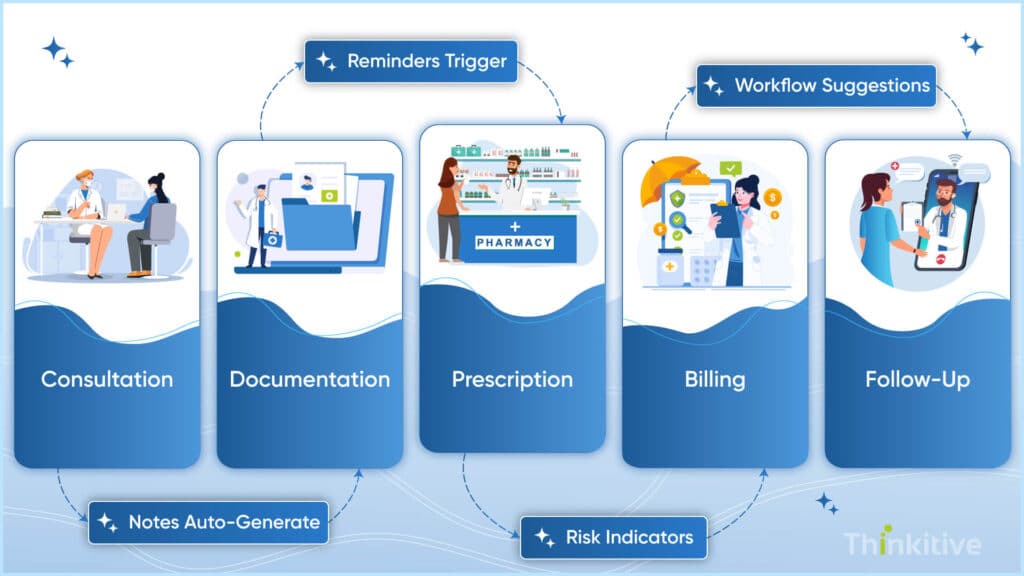
In 2026, not talking about AI is like a sin. But keeping the jokes apart, the advancement of AI and advanced analytics have made for custom EHR systems is redefining the transformation for modern healthcare. It can touch almost every aspect of your practice, right from clinical operations to patient care and even decision-making. On that note, let’s have a look at some of the AI and advanced analytics features:
- AI-Assisted Documentation & Workflow Automation: AI-powered features such as voice-to-text charting, automated clinical summaries, and intelligent workflow automation help you reduce time spent on manual documentation and repetitive tasks. This feature can simplify documentation and ensure consistency of records across ecosystems, reducing administrative burden immensely.
- Predictive Analytics & Population Health Reporting: Advanced analytics tools powered by AI can also be extremely useful for providers. It can help in the identification of trends, risks, and improve population health management. However, these features should support predictive reporting for chronic disease management, patient risk assessment, readmission analysis, and preventive care initiatives.
- Automation of Repetitive Administrative Tasks: Automation can be a great way to streamline repetitive administrative processes like appointment reminders, billing workflows, referral coordination, etc.
How to Prioritize EHR Features During Development
When building your own EHR, it is important to prioritize features based on immediate clinical needs, operational efficiency, compliance requirements, and long-term scalability. Start with core MVP functionalities such as patient records, scheduling, clinical documentation, billing, and interoperability, while more advanced capabilities like AI, analytics, and large-scale integrations can be added gradually as your platform evolves.
Your EHR should balance usability, compliance, interoperability, and scalability from the beginning to ensure smooth adoption and future growth. Creating a practical EHR functionality checklist for your development team can also help align technical priorities with real healthcare workflows, making it easier to build a scalable, efficient, and future-ready healthcare platform.
Conclusion
If you have somehow managed to scan and take away some of the most important pointers from this blog, then there is a slight chance that you might have gotten the feeling that every feature is important.
Well, for some features, that is entirely true. Features like patient portal, analytics dashboards, appointment scheduling, and integrations are necessary even to carry out your day-to-day activities.
However, if the question is how to prioritize EHR features during development, then you need interoperability features, features that simplify usability, patient engagement features of proactive participation, and AI readiness to ride the trending waves. The mix of all these features based on your needs is the best way to know the must-have features to build an EHR.
So, on that note, let this blog be your guide, and if you know which features of your practice, then talk to our EHR expert and see what features you need and what you don’t.
Frequently Asked Questions
The most important features for building an EHR include patient records management, clinical documentation, appointment scheduling, billing, interoperability, patient portals, reporting dashboards, security controls, and workflow automation. These core capabilities create the foundation for efficient and scalable healthcare operations.
If you are wondering what features should an EHR have when building from scratch, the platform should include clinical workflows, ePrescribing, scheduling, billing integration, interoperability support, patient engagement tools, reporting, and compliance features. These are considered core EHR features required for new EHR development.
Essential EHR admin and billing features include insurance verification, claims processing, payment tracking, denial management, revenue cycle reporting, appointment management, and administrative workflow automation. These features help healthcare organizations improve operational efficiency and financial performance.
Modern EHR features for patient experience help improve communication, transparency, and patient participation in care. Features such as patient portals, secure messaging, appointment reminders, and digital follow-ups make healthcare services more accessible and convenient for patients.
Multilingual and mobile EHR features help healthcare organizations serve diverse patient populations while improving provider accessibility across multiple devices. Mobile-first workflows and multilingual patient communication tools support more inclusive, flexible, and patient-centered healthcare experiences.
Modern EHR systems should support interoperability standards such as HL7, FHIR, and API-driven integrations. These standards enable secure healthcare data exchange between EHRs, labs, pharmacies, imaging systems, telehealth platforms, and other third-party healthcare applications.
AI-assisted workflows improve EHR usability by reducing manual documentation, automating repetitive administrative tasks, and helping providers access clinical insights faster. Features like AI-powered charting, predictive analytics, and workflow automation can significantly improve operational efficiency and provider productivity.
An EHR functionality checklist for developers typically includes clinical documentation, patient records, scheduling, billing, interoperability, patient portals, reporting, security, compliance, mobile accessibility, and workflow automation. This checklist helps development teams align technical planning with healthcare operational needs.
When considering how to prioritize EHR features during development, healthcare organizations should focus first on MVP functionalities such as patient management, clinical workflows, billing, interoperability, and compliance. Advanced capabilities like AI, analytics, and enterprise integrations can be added as the platform scales.
Modern EHR platforms should include HIPAA compliance support, role-based access controls, audit trails, encryption, cybersecurity monitoring, secure authentication, and disaster recovery planning. These EHR feature requirements help protect sensitive patient data and ensure regulatory compliance.
A list of must-have EHR features for development teams includes patient charting, ePrescribing, scheduling, billing, interoperability, patient portals, reporting dashboards, workflow automation, mobile accessibility, AI-assisted documentation, and security controls. These are considered essential features for building scalable healthcare platforms.
Analytics and reporting tools help healthcare organizations monitor operational performance, patient trends, provider productivity, billing metrics, and care outcomes. These insights support better decision-making and improve both clinical and administrative efficiency.
Healthcare organizations can balance MVP development with long-term scalability by prioritizing core workflows first while building a flexible architecture that supports future integrations, analytics, AI capabilities, and enterprise-level expansion. A well-planned EHR feature checklist for developers helps ensure scalable platform growth over time.


